
 Saiteja
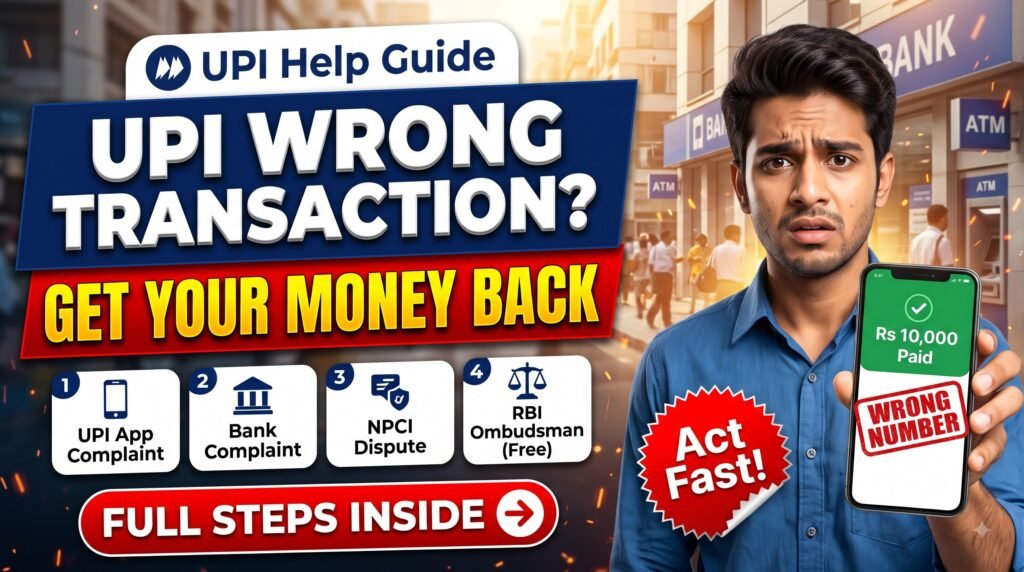
Sent money to the wrong UPI ID or mobile number by mistake? It happens to many people, especially when one digit of the number is typed wrong or the wrong contact is selected.
The good news is that in many cases the money can be recovered if you act fast and follow the right complaint process. In this guide, we explain step by step how to get your money back after a UPI wrong transaction on PhonePe, Google Pay, Paytm, BHIM or any bank UPI app.
UPI Wrong Transaction: Quick Overview
| Step | What to do | Where |
|---|---|---|
| 1 | Save screenshot and Transaction ID (UTR) | Your UPI app |
| 2 | Raise a dispute on that payment | PhonePe / Google Pay / Paytm / BHIM |
| 3 | Complain to your bank | Bank customer care / branch |
| 4 | Raise a complaint with NPCI | npci.org.in |
| 5 | Escalate to RBI Ombudsman (free) | cms.rbi.org.in |
Can You Get Money Back from a Wrong UPI Transfer?
Yes, but it depends on the receiver. A wrong UPI transfer is treated as a payment you authorised with your own UPI PIN. So the bank cannot simply reverse it on its own.
What your bank does is contact the receiver’s bank, which then asks the receiver to return the money. If the receiver agrees, the amount is credited back to your account. If the receiver refuses, you may need to follow the legal process.
That is why speed matters. The sooner you complain, the higher the chance that the money is still in the receiver’s account.
Step 1: Save the Transaction Screenshot and Transaction ID
Before doing anything else, open the payment in your UPI app and take a screenshot. Note down these details:
- UPI Transaction ID / UTR number (12 digits)
- Date and time of the payment
- Amount sent
- Receiver’s name, UPI ID or mobile number
- Your bank account used for the payment
You will need this information at every step of the complaint.
Step 2: Raise a Complaint in Your UPI App
Every UPI app has a built-in dispute option. Open the wrong payment from your transaction history and look for Help, Raise a complaint or Report a problem.

- PhonePe: History → select the transaction → Help → Raise a dispute
- Google Pay: Open the transaction → Having issues? → Get help
- Paytm: Balance & History → select the payment → Need help
- BHIM: Transactions → select the payment → Raise concern
Choose the reason as “Sent to wrong person / incorrect account” and submit. Save the complaint reference number you receive.
Step 3: Call Your Bank Immediately
Next, call your bank’s customer care or visit the branch and give a written complaint with the Transaction ID. Ask them to contact the beneficiary bank and request a reversal.
Banks have a grievance process and must reply to your complaint. Keep the complaint number safe, because you will need it if you have to escalate.
Step 4: Raise a Complaint with NPCI
If your app and bank do not solve the issue, you can raise a complaint with the National Payments Corporation of India (NPCI), the organisation that runs UPI.
- Go to the official website npci.org.in
- Open What we do → UPI → Dispute Redressal Mechanism
- Fill the complaint form and select the transaction type and issue as Incorrectly transferred to another account
- Enter the UPI Transaction ID, bank name, VPA, amount, date and your email / mobile number
- Upload your bank statement or screenshot and submit
You can also call the NPCI customer helpline 1800-120-1740 (toll free).
Step 5: Complain to the RBI Ombudsman for Free
If your bank does not reply within 30 days of your complaint, or you are not happy with the reply, you can file a complaint under the RBI Integrated Ombudsman Scheme.
- Website: cms.rbi.org.in
- Toll free: 14448
- The complaint is completely free
- Attach your bank complaint number and all proofs
What If the Receiver Refuses to Return the Money?
If the receiver does not agree to return the amount, the bank cannot debit their account without consent. In that case you may need to take legal action for recovery. You can approach a lawyer or file a case for recovery of money, using your bank complaint and NPCI records as proof.
If you think the transfer happened because of a fraud or scam call, report it immediately on the cyber crime helpline 1930 or at cybercrime.gov.in.

Tips to Avoid Wrong UPI Transfers
- Always check the receiver’s name shown on the screen before entering the PIN
- Send ₹1 first when paying a new person a large amount
- Scan QR codes instead of typing numbers when possible
- Save frequent contacts so you do not type numbers again
- Never share your OTP or UPI PIN with anyone, even if they say they will help you get a refund
Watch the Video Guide
Frequently Asked Questions
How long does it take to get money back from a wrong UPI transfer?
There is no fixed time. If the receiver agrees quickly, it can take a few days. If the complaint is escalated to NPCI or the RBI Ombudsman, it can take a few weeks.
Is a wrong UPI transfer the same as a failed transaction?
No. In a failed transaction, money is debited but not credited to the receiver, and it is usually auto-reversed by the bank. In a wrong transfer, the money has reached another person, so it needs a complaint and the receiver’s consent.
Is it free to complain to the RBI Ombudsman?
Yes. Filing a complaint under the RBI Integrated Ombudsman Scheme is completely free.
Conclusion
Sending money to a wrong UPI number is stressful, but you are not helpless. Save the Transaction ID, raise a complaint in your UPI app, inform your bank, and escalate to NPCI and the RBI Ombudsman if needed. The faster you complain, the better your chances of getting your money back.
Disclaimer: This article is for information purposes only and is not legal or financial advice. Refund depends on the receiver and the bank process. Please check the official NPCI and RBI websites for the latest rules.