What Is a 12 Different Angles Image Prompt?
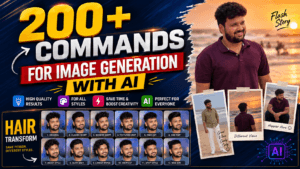
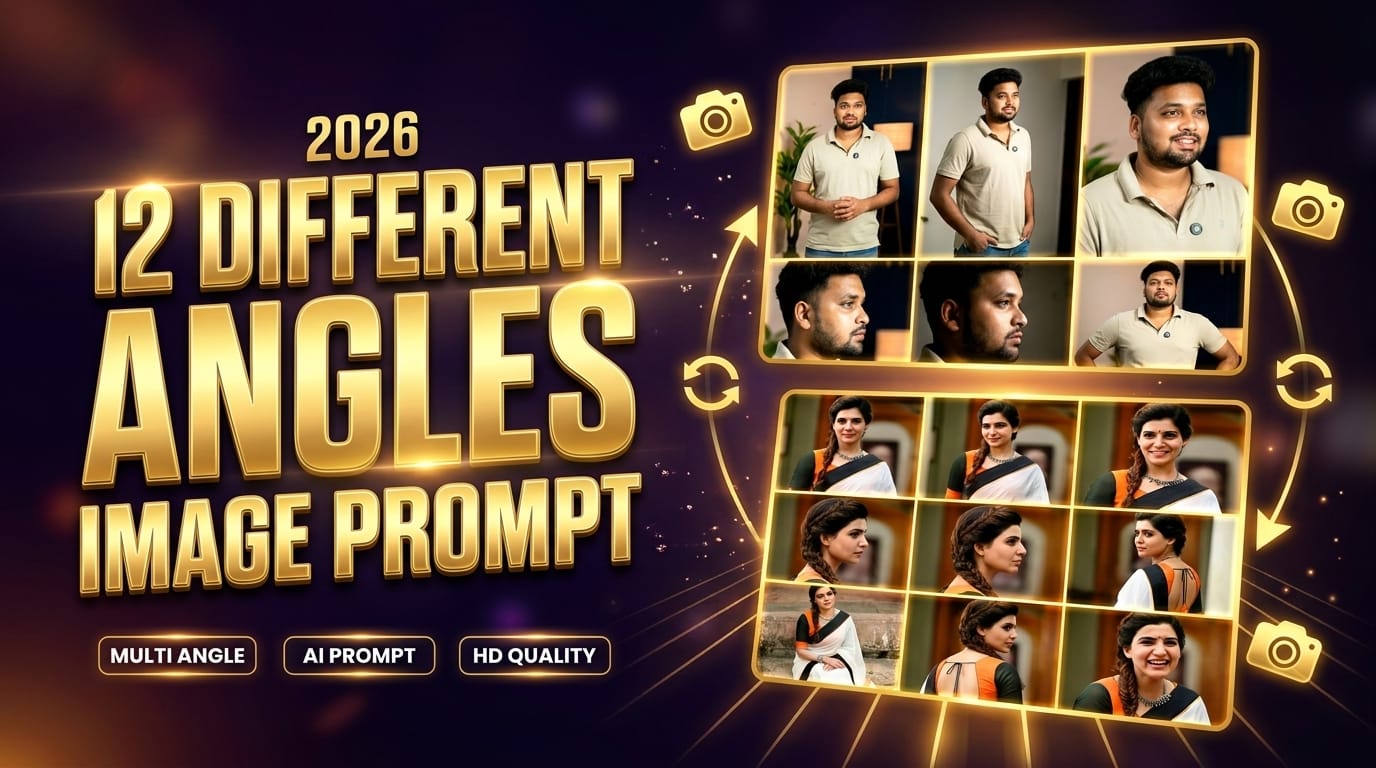
12 Different Angles Image Prompt – If you’ve been exploring AI image generation lately, you’ve probably come across the term “12 different angles image prompt.” So what exactly does it mean? In simple words, it’s a structured prompt used in AI tools to generate multiple views of the same subject—usually within a single image grid. Instead of getting just one static image, you get a complete visual story from different perspectives.
This technique allows creators to showcase a subject—whether it’s a person, product, or scene—from multiple viewpoints like front, side, top, and even cinematic angles. According to recent AI prompt frameworks, generating multiple perspectives helps create a more complete 3D understanding of the subject and improves realism.
Think of it like this: instead of taking one selfie, you suddenly have a professional photoshoot with 12 camera setups—without moving an inch. That’s the power of this prompt style.
How AI Generates Multiple Angles
AI doesn’t physically rotate a camera. Instead, it uses spatial inference and pattern recognition to imagine how the subject would look from another angle. Modern tools analyze lighting, depth, and structure to recreate realistic perspectives in seconds.
This is why the same face or object can appear consistent across all angles—even though the AI is technically generating new images each time. It’s not just editing; it’s re-rendering reality from different viewpoints.
Copy the Prompt Here
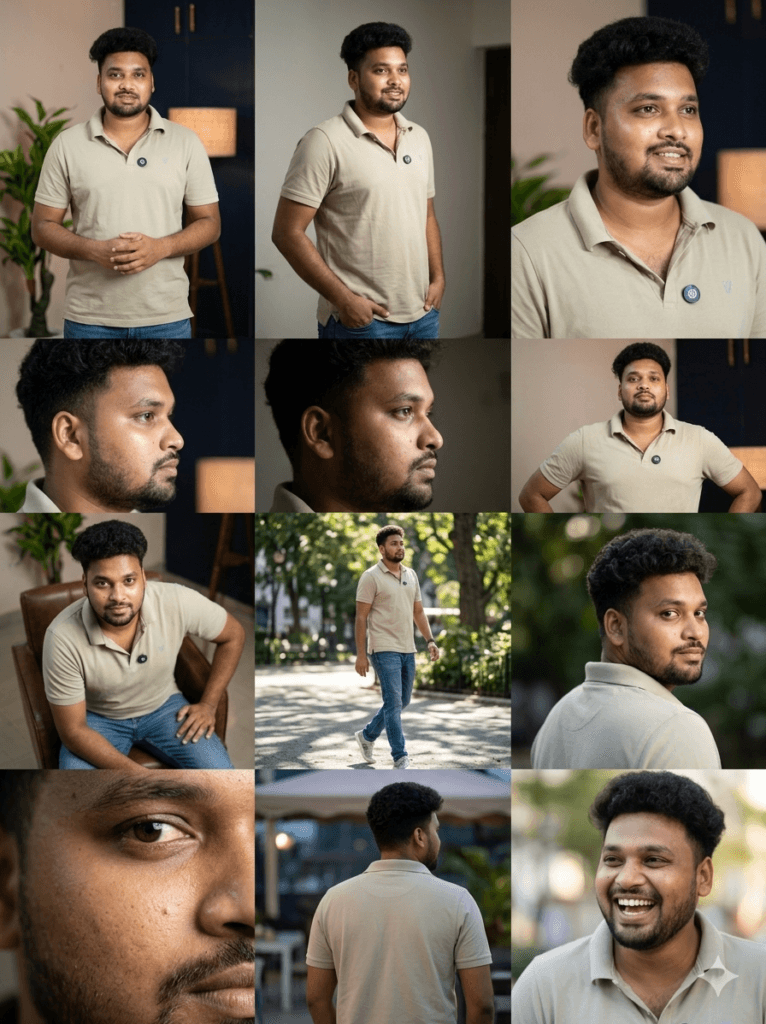
Use the uploaded image as the primary reference.

Generate 12 ultra-realistic photos of the SAME person with different camera angles and natural poses.

Identity Consistency (VERY IMPORTANT):
Keep the exact same face, facial structure, skin tone, hairstyle, and identity unchanged.
Do NOT modify or beautify the face unnaturally.
No face distortion, no face swap, no AI-style smoothing.
Maintain natural skin texture, pores, and realistic imperfections.

Outfit Rules:
Keep the same outfit by default.
If the outfit looks visually unappealing, slightly enhance it while keeping the same style, color tone, and realism (no drastic change).

Lighting & Quality:
Use cinematic lighting with natural shadows.
DSLR-level photography look.
Realistic depth of field (slightly blurred background).
No cartoon, no CGI, no artificial look.

Angles & Poses:
1. Front view, confident standing pose
2. 45° left angle, hands in pocket (casual)
3. 45° right angle, slight smile
4. Left side profile (90°), serious look
5. Right side profile (90°), looking away
6. Low angle shot, powerful pose
7. Slight top angle, relaxed sitting
8. Walking pose (mid-step), candid
9. Over-the-shoulder, looking back
10. Close-up face shot, sharp focus
11. Back view, slightly turning to camera
12. Natural laughing / candid expression

Output Requirements:
12 images
Ultra-realistic, high-resolution (4K)
No distortion, no face change, no style shift
All images must look like real DSLR photos
Why Multi-Angle Image Prompts Are Trending in 2026
Rise of AI Image Generators
AI tools have evolved massively in the past few years. Today, creators can generate professional-level visuals without expensive equipment or studios. Multi-angle prompts are gaining popularity because they offer maximum output from minimal input—just one image or idea.
Platforms now support generating up to 12 professional camera angles instantly, making them a go-to solution for creators and marketers.
Use Cases Across Industries
This isn’t just for fun. Multi-angle prompts are being used everywhere:
- Content creators use them for Instagram reels and thumbnails
- E-commerce brands generate product views without photoshoots
- Designers create character sheets and concept art
- Filmmakers plan scenes using cinematic angles
It’s like having a full creative studio packed into a single prompt.
Understanding Camera Angles in AI Prompts
Basic Camera Angles Explained
Camera angles are the backbone of visual storytelling. When you specify an angle in your prompt, you’re telling the AI how the viewer should perceive the subject.
Common angles include:
- Eye-level (natural perspective)
- Low-angle (powerful look)
- High-angle (vulnerable feel)
- Close-up (detail-focused)
Each angle changes the mood and message of the image.
Emotional Impact of Angles
Here’s something most beginners overlook: angles aren’t just technical—they’re emotional tools.
A low-angle shot can make someone look heroic, while a high-angle shot can make them seem small or weak.
So when you use a 12-angle prompt, you’re not just showing variety—you’re telling 12 different emotional stories.
The Standard 12 Angles Used in Prompts
Full List of 12 Angles
A typical 12-angle prompt includes:
| Angle Type | Purpose |
|---|---|
| Close-up | Focus on details |
| Side profile | Show structure |
| Low angle | Power effect |
| High angle | Vulnerability |
| Over-the-shoulder | Storytelling |
| Full body shot | Context |
| Dutch angle | Drama |
| Back view | Mystery |
| Three-quarter view | Natural perspective |
| Drone shot | Aerial view |
| Mid-shot | Balanced framing |
| Candid angle | Real-life feel |
These are widely used in modern AI prompts and photography-based generation systems.
Explanation of Each Angle
Each angle plays a specific role. For example, a three-quarter view is one of the most natural and flattering perspectives, often used in portraits. A Dutch angle, on the other hand, tilts the camera to create tension or drama.
When combined, these angles give a complete visual breakdown of the subject—almost like rotating it in 3D space.
How to Write a Perfect 12 Angles Image Prompt
Prompt Structure Breakdown
A strong prompt usually follows this structure:
[Style] + [Subject] + [Consistency Instructions] + [12 Angles List] + [Output Format]
Example idea:
“Create a 12-frame grid showing the same person from different camera angles…”
The key is clarity. AI performs better when instructions are precise and structured.
Key Elements to Include
To get professional results, always include:
- Identity consistency (same face/object)
- Lighting consistency
- Environment details
- Angle descriptions
- Grid layout instructions
Without these, the AI might generate completely different subjects in each frame.
Step-by-Step Guide to Creating Multi-Angle Images
Step 1: Choose Your Subject
Start with a clear subject. It could be a person, product, or even a fictional character. The more detailed your input, the better your output.
Step 2: Define Angles Clearly
Don’t just say “different angles.” Specify each one. For example, mention “low-angle shot from below” instead of vague wording.
Step 3: Maintain Consistency
This is crucial. Always tell the AI to keep the same face, lighting, and background. Otherwise, you’ll end up with 12 completely different images.
Best Tools for 12 Angle Image Generation
Popular AI Platforms
Several tools support multi-angle generation:
- Gemini AI
- Midjourney
- Stable Diffusion
- GoStudio
These platforms allow you to upload one image and generate multiple perspectives instantly.
Features Comparison Table
| Tool | Multi-Angle Support | Speed | Best For |
|---|---|---|---|
| Gemini | Yes | Fast | Beginners |
| Midjourney | Partial | Medium | Creative art |
| Stable Diffusion | Yes | Fast | Custom control |
| GoStudio | Yes (12 angles) | Very Fast | Professional use |
Common Mistakes to Avoid
Inconsistent Identity
One of the biggest issues is face drift—where the subject changes across angles. This happens when prompts lack strict instructions.
Poor Prompt Clarity
If your prompt is vague, your results will be too. Always be specific about angles, layout, and consistency.

Advanced Tips for Professional Results
Lighting Consistency
Lighting should remain the same across all frames. This creates a realistic and cohesive look.
Grid Layout Techniques
Instead of generating separate images, ask for a single grid layout. This improves consistency because the AI processes everything together.
Real-World Applications
Social Media Content Creation
Creators use 12-angle prompts to make viral posts. A single image showing multiple perspectives grabs attention instantly.
E-commerce Product Photography
Brands save money by generating product angles digitally instead of hiring photographers. This speeds up catalog creation dramatically.
Future of Multi-Angle AI Imaging
AI + 3D Integration
The next step is full 3D modeling. Multi-angle prompts are already moving toward this by simulating depth and structure.
Automation Trends
Soon, you won’t even need to write prompts manually. AI tools will auto-generate multi-angle images based on simple inputs.
Conclusion
The 12 different angles image prompt isn’t just a trend—it’s a powerful technique that’s reshaping how we create visuals. From social media to professional photography, it offers unmatched flexibility and efficiency. By mastering prompt structure, understanding camera angles, and maintaining consistency, you can create stunning multi-angle images that look like they came from a full production studio.
Once you get the hang of it, you’ll realize something surprising—you don’t need multiple photos anymore. One prompt is enough to tell the whole story.
FAQs
1. What is a 12 angles image prompt?
It’s a prompt used in AI tools to generate 12 different camera views of the same subject in a single output.
2. Which AI tools support multi-angle prompts?
Popular tools include Gemini, Midjourney, Stable Diffusion, and GoStudio.
3. Why are multiple angles important?
They provide a complete visual understanding and make images more engaging and professional.
4. Can I use this for product photography?
Yes, many e-commerce brands use it to generate product images from multiple angles without a photoshoot.
5. How do I keep the same face in all angles?
You must explicitly instruct the AI to maintain identity consistency in your prompt.