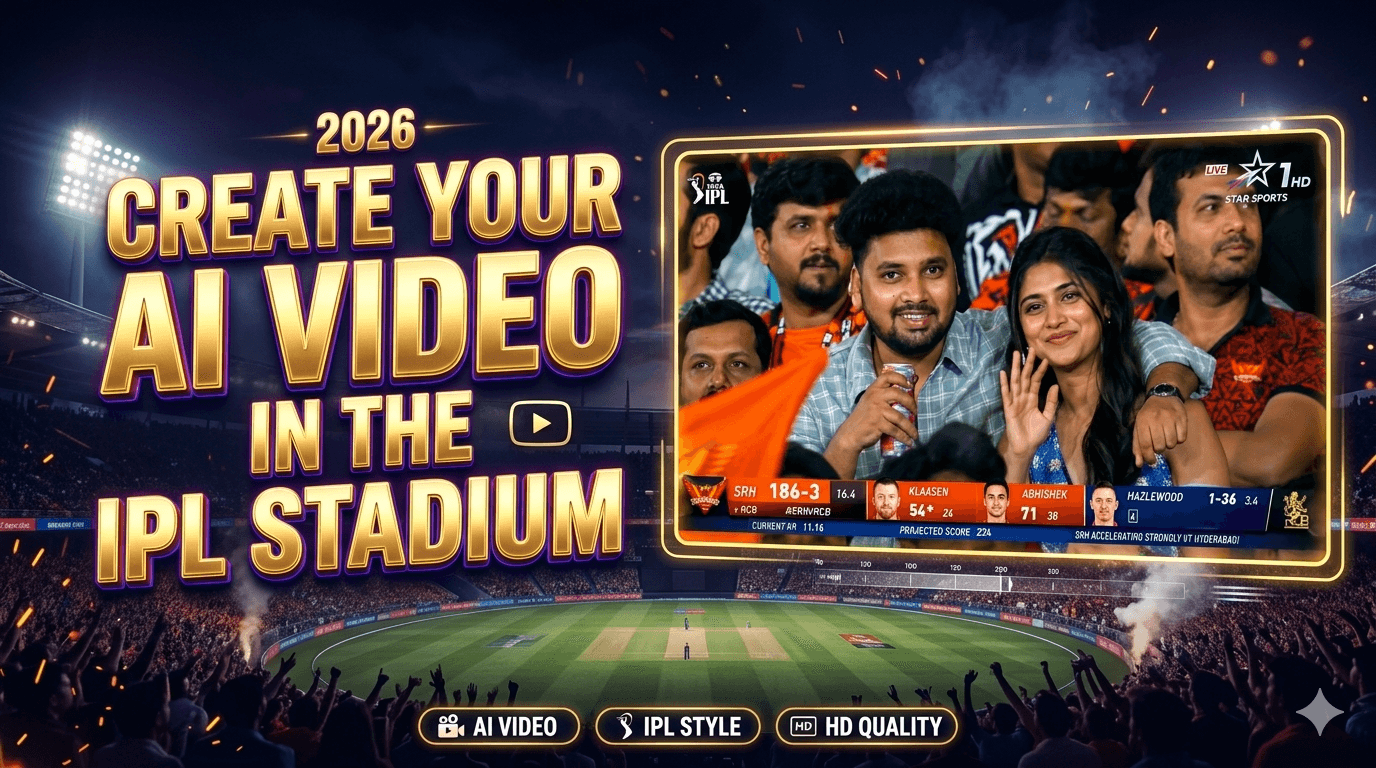
Create your AI Video in the IPL Stadium – Artificial Intelligence is changing content creation faster than ever, and one of the latest viral trends on Instagram Reels, YouTube Shorts, and TikTok is AI IPL Stadium Videos. These videos make it look like you are sitting inside a real IPL stadium while the stadium camera focuses on you during a live cricket match.
The best thing about this trend is that you do not need professional editing skills, expensive software, or a high-end PC. With just a clear face photo, AI prompts, and a few online tools, you can create realistic IPL-style cinematic videos within minutes.
In this detailed guide, you will learn how to create your own AI IPL stadium video step-by-step using AI tools like ChatGPT, Google Gemini, and Runway ML.
What Is an AI IPL Stadium Video?
An AI IPL stadium video is an AI-generated cinematic clip where it appears as though you are sitting inside a cricket stadium during an IPL match. The camera movement, crowd atmosphere, lighting, and realistic stadium environment make the video feel like a real sports broadcast moment.
These videos usually go viral because:
- They look cinematic and realistic
- Cricket fans love IPL-themed content
- AI-generated visuals attract attention quickly
- They are perfect for short-form video platforms
Nowadays, creators are using these AI videos to gain millions of views on social media.
Tools Required to Create AI IPL Videos
Before starting the process, you need a few tools and resources.
Essential Tools
1. AI Chatbot for Image Generation
You can use:
- ChatGPT
- Google Gemini
These tools help generate the IPL stadium image using your uploaded face photo and prompts.
2. AI Video Generator
You need:
- Runway ML
This platform converts your generated image into a realistic moving video.
3. A Clear Face Photo
Use:
- High-quality selfie
- Good lighting
- Front-facing image
- Clear facial visibility
Better image quality gives better AI results.
Step-by-Step Guide to Create AI IPL Stadium Videos
Step 1: Open ChatGPT or Google Gemini
First, open either ChatGPT or Google Gemini on your mobile or PC browser.
After opening the platform:
- Start a new chat
- Upload your face photo
- Paste your image generation prompt
- Click Send
The AI will process your image and create a realistic IPL stadium-style image.
Step 2: Use an IPL Stadium Image Prompt
The prompt plays the most important role in generating realistic visuals.
Example Image Prompt
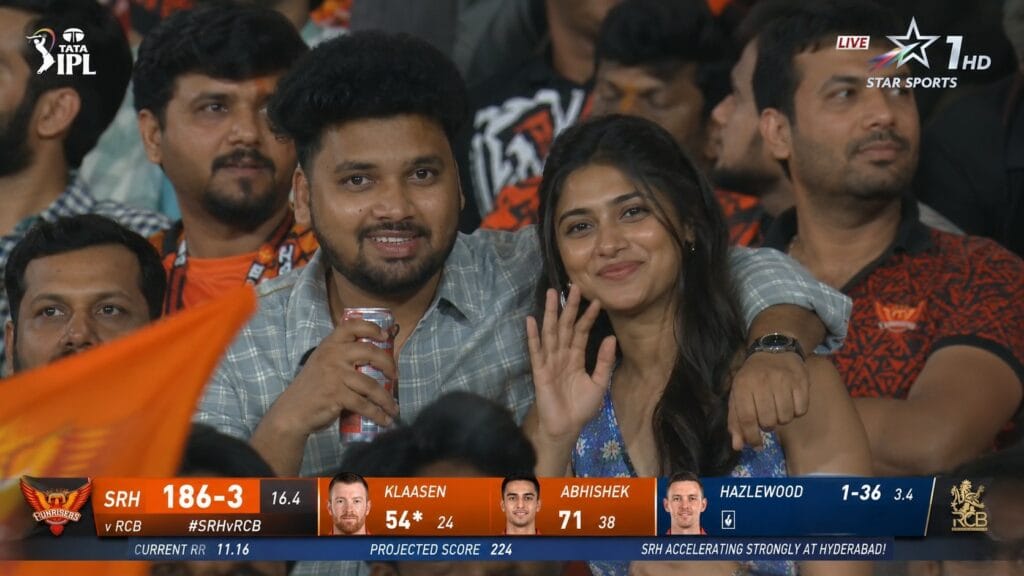
Create a hyper-realistic 16:9 live Indian cricket broadcast screenshot captured during an ongoing IPL 2026 night match between Sunrisers Hyderabad (SRH) and Royal Challengers Bengaluru (RCB).

The shot must look exactly like a real Star Sports-style stadium crowd cutaway captured from a very far away broadcast zoom camera during a LIVE match while SRH is batting.

Use the provided face reference image for the man and preserve his identity with extremely high accuracy:

same face shape

same hairstyle and hair volume

same eyes, nose, lips

same beard/stubble pattern

same skin tone

same natural expression
Do NOT beautify or modify his identity.

Next to him sits a very beautiful South Indian woman with realistic human features:

natural skin texture

realistic facial proportions

subtle imperfections

expressive eyes

soft candid smile

glamorous but believable appearance

no doll-like or plastic skin

Scene:
Packed IPL stadium during SRH vs RCB night match.
SRH is currently batting aggressively.
Crowd is energetic with SRH orange jerseys dominating the stands.
The couple is seated naturally among dense audience rows.
Foreground heads, flags, jerseys, and crowd movement should partially block parts of the frame naturally like a real IPL broadcast zoom shot.

Camera style:
Must feel like a real IPL stadium audience camera:

long telephoto lens

flattened broadcast perspective

mild atmospheric haze

slight digital zoom softness

subtle motion blur

live-TV compression artifacts

realistic broadcast sharpness

NOT cinematic

NOT DSLR portrait

NOT mobile selfie

Pose:

The man wears a light grey-blue check shirt

One arm naturally around the girl’s shoulder

Other hand holding a red-and-silver soda can

The woman wears a blue floral summer dress

Both seated naturally

Looking toward giant stadium screen while smiling shyly

Slight surprise after noticing themselves on broadcast camera

Natural chemistry only

Lighting:
Only realistic IPL stadium floodlights and ambient field spill.
No beauty lighting.
No dramatic shadows.

Background:

packed SRH vs RCB crowd

orange flags

blurred audience movement

LED ribbon boards

realistic Indian cricket stadium atmosphere

LIVE Broadcast Overlay:
TOP CORNER:

STAR SPORTS style watermark

LIVE tag

BOTTOM SCOREBUG:
SRH 186/3 (16.4)

Batters:
Heinrich Klaasen 54*(24)
Abhishek Sharma 71(38)

Bowler:
Hazlewood 3.4-0-36-1

Current RR: 11.16
Projected Score: 224

Small ticker:
“SRH accelerating strongly at Hyderabad!”

Use REAL player names only:

Heinrich Klaasen

Abhishek Sharma

Travis Head

Pat Cummins

Virat Kohli

Josh Hazlewood

Quality:
Ultra photorealistic.
Authentic IPL live telecast feel.
Natural skin texture.
Realistic crowd density.
Believable stadium perspective.
Slightly imperfect broadcast quality.

Negative prompt:
Do not make it look staged.
Do not make it cinematic.
Do not isolate the couple.
Do not make faces overly smooth.
Do not make it look like influencer photography.
Do not make the man generic.
Do not make the woman doll-like.
Do not make them stare directly into camera.
Do not create empty stadium sections.
This prompt helps the AI understand:
- Stadium environment
- Camera angle
- Lighting
- Crowd atmosphere
- Cinematic style
You can customize the prompt based on:
- Jersey color
- Team support
- Sitting position
- Background crowd
- Camera focus
Why Prompts Matter in AI Video Creation
AI tools completely depend on prompts. A good prompt creates realistic and professional-looking content, while a weak prompt may produce low-quality results.
Important Elements in a Good Prompt
Realistic Environment
Mention:
- IPL stadium
- Cricket audience
- Match atmosphere
Cinematic Lighting
Include words like:
- Dramatic lighting
- Stadium lights
- Ultra realistic
Camera Style
Add:
- Broadcast camera angle
- Sports camera focus
- Cinematic shot
Image Quality
Use:

- 4K
- Ultra HD
- Sharp details
These keywords improve AI output quality significantly.
Step 3: Download the Generated Image
Once the image is ready:
- Open the generated image
- Download it
- Save it to your gallery or desktop
This image will be used in the video generation step.
Make sure you download the highest quality version available.
Step 4: Open Runway ML
Now visit:
Runway ML is one of the most popular AI video generation platforms available today.
It allows creators to:
- Convert images into videos
- Add cinematic motion
- Generate realistic animations
- Create professional AI visuals
Create a Runway ML Account
If you are using Runway ML for the first time:
- Sign up using Gmail
- Verify your account
- Log in
After login, you can access the AI video generation dashboard.
Step 5: Upload Your IPL Stadium Image
Inside Runway ML:
- Click on Apps then click on Video option
- and Select Multi-shot Video
- Upload your AI-generated IPL image
- Add your video prompt
The uploaded image becomes the base frame for your cinematic AI video.
Best Video Prompt for IPL AI Videos
Here is an example of a powerful AI video prompt.
Example Video Prompt
Create a hyper-realistic 15-second IPL-style live cricket broadcast crowd shot in a packed Indian stadium at night. Use the previous generated image as identity reference for both characters. Preserve the boyfriend’s exact face, hairstyle, beard, skin tone, expression, and light grey-blue check shirt. Preserve the girl’s exact appearance and blue floral summer dress. Both remain seated entire time.

Scene must feel like a genuine IPL audience-camera moment captured accidentally by a far-away stadium zoom lens, NOT a cinematic shoot, NOT influencer style, NOT front camera.

Environment:
Packed cricket stadium, blue/orange jerseys, LED boards, dense audience, waving flags, realistic crowd movement, stadium floodlights, foreground heads and shoulders partially blocking frame naturally.

Camera:
Single continuous take, no cuts, no angle changes. Telephoto broadcast zoom lens from far away in stadium. Long-lens compression, slight live-TV softness, mild grain, compression artifacts, realistic sports telecast framing.

0-4s:
Camera lands naturally on couple in crowd. Boyfriend watches giant stadium screen smiling casually at match. Girl notices broadcast camera and smiles shyly while avoiding eye contact.

4-7s:
Boyfriend casually lifts silver-and-red soda can slightly while reacting to match. Girl hides smile shyly with hand. Nearby crowd cheers naturally.

7-11s:
Boyfriend lowers can and makes half-heart gesture. Girl completes heart softly. Crowd nearby laughs and cheers lightly.

11-13s:
Girl gives quick soft cheek kiss. Boyfriend reacts with proud grin and small laugh while still focused mostly on match atmosphere.

13-15s:
Both become shy and embarrassed. Girl looks away smiling. Boyfriend turns attention back toward stadium screen.

Static broadcast graphics entire video:
Top corner sports watermark + LIVE tag.
Bottom scorebug:
SRH 186/3 (16.4)
Klaasen 54*(24)
Abhishek 71(38)
Hazlewood 3.4-0-36-1
CRR 11.16

Audio:
Realistic IPL ambience, crowd murmur, distant cheering, soft laughter, realistic male cricket commentary reacting casually to couple. No dialogue from couple.

Important:
No direct camera eye contact, no exaggerated acting, no scene transitions, no cinematic lighting, must feel like authentic IPL live-broadcast crowd footage.
This prompt helps generate:
- Camera movement
- Crowd animation
- Cinematic motion
- Realistic sports atmosphere
Step 6: Generate the AI Video
After entering the prompt:
- Click Generate
- Wait for AI processing
- Preview the generated video
Runway ML will automatically create a cinematic IPL-style video using your image and prompt.
Depending on server load, generation may take a few minutes.
Step 7: Download the Final Video
Once your video is ready:
- Preview the output
- Download the HD version
- Save it to your device
Now your IPL AI stadium video is completely ready for upload.
Best Platforms to Upload AI IPL Videos
These videos perform extremely well on short-form content platforms.
Instagram Reels
Instagram users love:
- Trending edits
- AI visuals
- Cricket content
YouTube Shorts
YouTube Shorts gives massive reach to:
- Viral AI videos
- Sports-related content
- Trending IPL edits
TikTok
AI cinematic videos gain huge engagement on TikTok because of:
- Fast-paced content discovery
- Trending visual effects
- Sports fan communities
Tips to Make Your AI IPL Video More Realistic
Use High-Quality Images
Always upload:
- Bright photos
- Clear face images
- HD selfies
Avoid blurry or dark photos.
Write Detailed Prompts
The more detailed your prompt is, the better the result becomes.
Mention:
- Lighting
- Stadium atmosphere
- Camera style
- Crowd movement
Add Team Jerseys
You can customize prompts with:
- CSK jersey
- RCB jersey
- MI jersey
- SRH jersey
This makes the video feel even more personalized.
Try Different Camera Angles
Experiment with:
- Close-up shots
- Side-angle shots
- Stadium zoom shots
- Broadcast camera view
Different angles create unique cinematic results.
Advantages of Creating AI IPL Videos
Easy to Create
You do not need editing experience.
Viral Potential
IPL-related content gets huge engagement during cricket season.
Professional Look
AI tools create cinematic-quality visuals automatically.
Saves Time
Instead of spending hours editing, AI tools finish the work within minutes.
Common Mistakes to Avoid
Using Low-Quality Photos
Poor-quality images reduce realism.
Writing Short Prompts
Detailed prompts always perform better.
Ignoring Lighting Descriptions
Lighting plays a major role in cinematic visuals.
Uploading Wrong Aspect Ratio
For Reels and Shorts, use vertical format whenever possible.
Future of AI Sports Content Creation
AI-generated sports content is becoming one of the biggest trends in digital media. Creators are now making:
- AI cricket edits
- Stadium videos
- Sports cinematic clips
- AI fan reactions
As AI tools continue improving, realistic content creation will become even easier and more powerful.
This trend is especially growing among:
- Instagram creators
- YouTube Shorts creators
- Cricket fans
- AI content creators
Final Thoughts
Creating your own AI IPL stadium video is now easier than ever. With just a face photo, creative prompts, and tools like ChatGPT, Gemini, and Runway ML, anyone can generate realistic cinematic cricket videos in minutes.
The key to getting amazing results is:
- Using clear photos
- Writing detailed prompts
- Choosing cinematic descriptions
- Experimenting with different camera styles
If you create these videos creatively and upload them consistently, they can attract massive views on social media platforms.
So, try this trending AI IPL video method today and create your own viral stadium moment using AI.