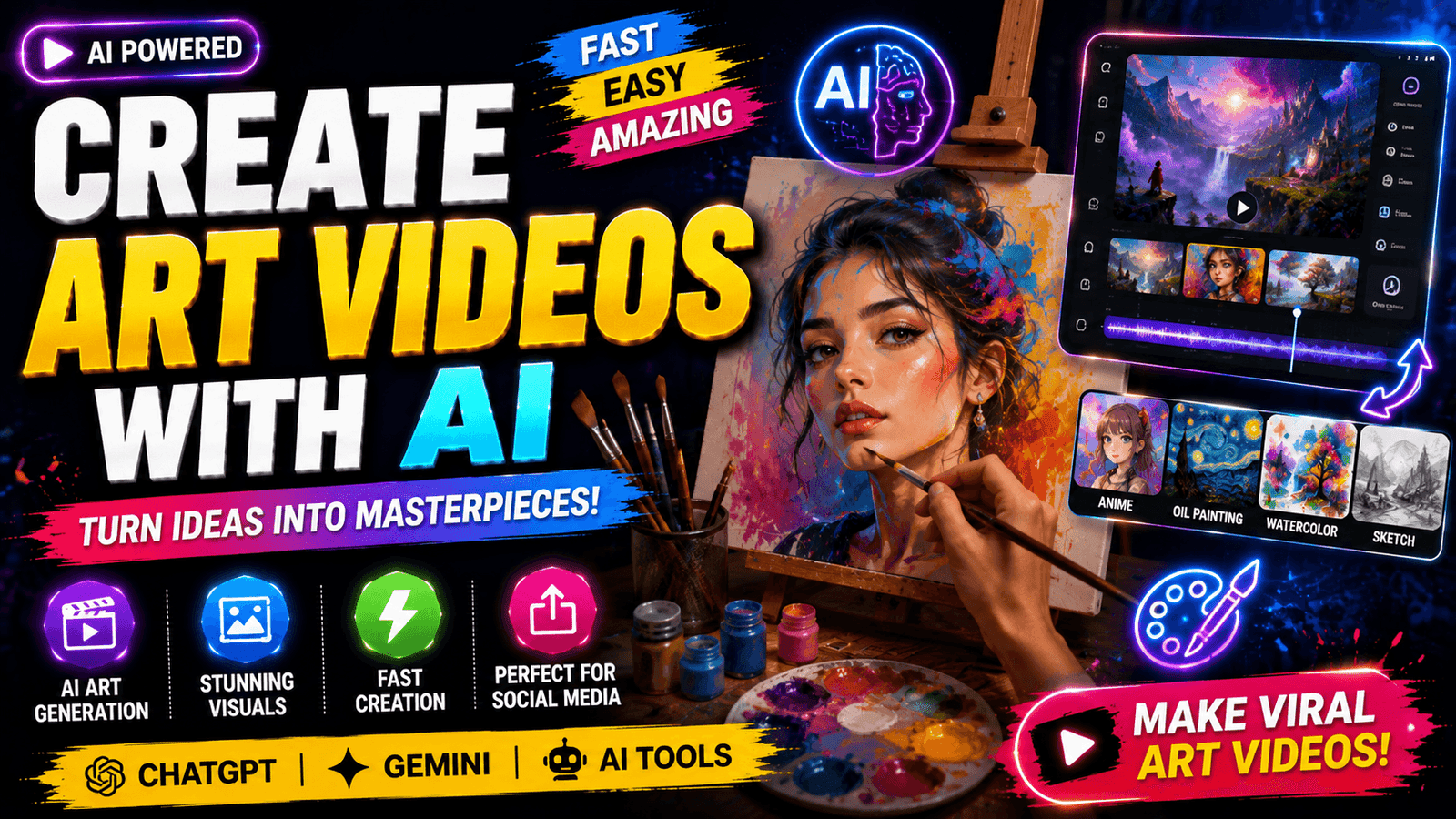
Create Art Videos with AI – Artificial Intelligence has completely transformed the way people create digital content. Just a few years ago, producing professional-looking animated artwork required expensive software, advanced editing skills, and countless hours of work. Today, AI has changed everything. Anyone with a creative idea can generate breathtaking art videos in minutes simply by describing a scene using text prompts. Whether you are a content creator, YouTuber, Instagram influencer, digital marketer, or someone who simply enjoys experimenting with technology, AI art video generators have opened a world of endless possibilities.
The popularity of AI-generated videos has exploded across platforms like YouTube Shorts, Instagram Reels, TikTok, and Facebook Reels. Viewers love visually stunning videos that feature fantasy landscapes, cinematic animations, surreal artwork, anime transformations, watercolor paintings, futuristic cities, and magical environments. AI tools can now create all these styles without requiring years of artistic experience. This guide explains everything you need to know about creating AI art videos, the best tools available, practical tips, and strategies to produce content that attracts more views and engagement.
What Are AI Art Videos?
AI art videos are animated videos generated with artificial intelligence using text prompts, reference images, or both. Instead of manually drawing every frame, AI models understand natural language and transform descriptions into visually appealing animations. Modern AI systems use advanced machine learning algorithms trained on millions of images and videos, allowing them to create realistic motion, artistic transitions, and cinematic effects.
Imagine typing a prompt like, “A glowing phoenix flying through a mystical forest at sunrise, cinematic lighting, ultra-realistic, 4K.” Within minutes, AI generates a visually rich animation that closely matches your imagination. This technology has significantly lowered the barrier to content creation, making professional-quality video production accessible to beginners and experienced creators alike.
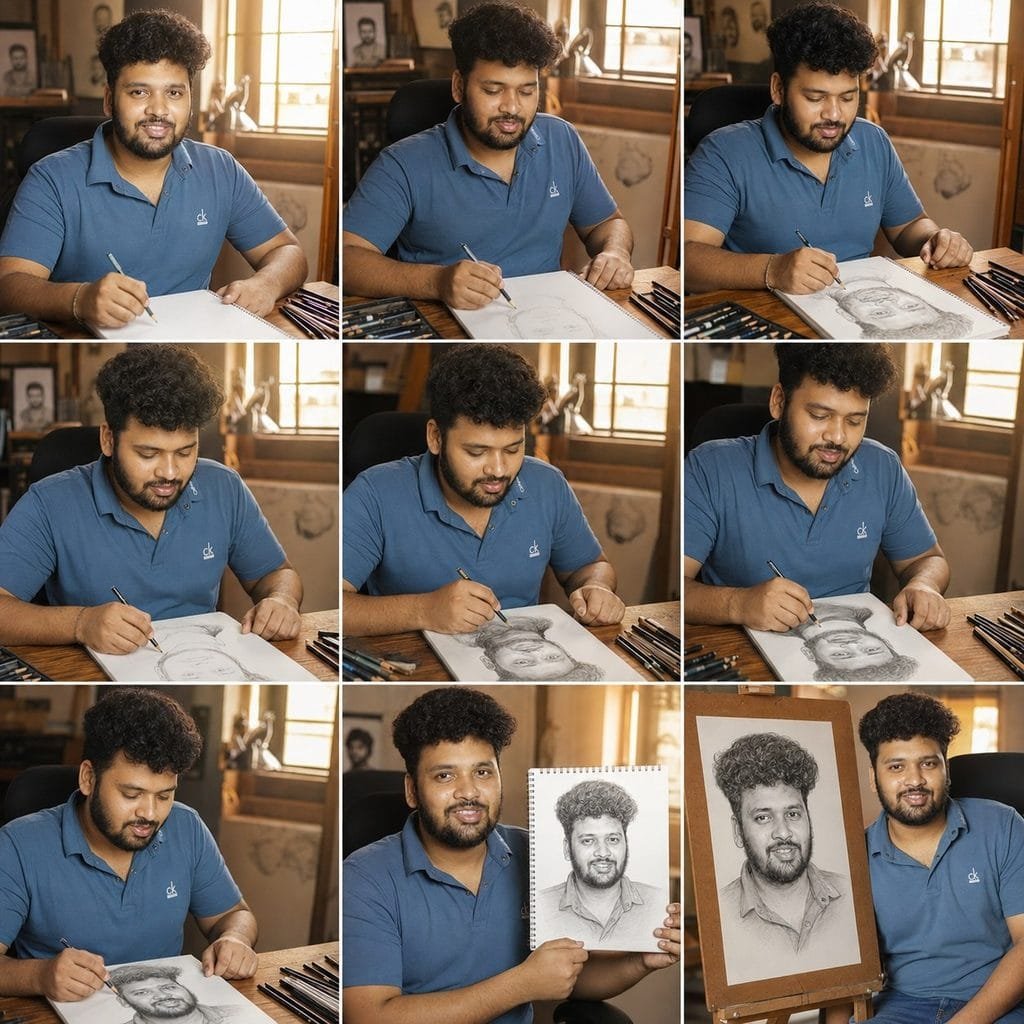
Create an ultra-realistic cinematic 3×3 storyboard of the person in the reference image drawing his own portrait in a premium artist studio, using the reference image as an absolute identity lock—maintain 100% identical face, hairstyle, glasses, beard, skin tone, body proportions, smile, clothing, and shirt pattern in every panel with zero identity drift; show a chronological sketching process from blank paper to finished portrait on an easel with realistic pencil strokes, natural hand anatomy, professional drawing setup, warm golden window light, wooden desk, sketchbook, graphite pencils, charcoal, art tools, shallow depth of field, documentary photography, 35mm lens, photorealistic, 8K HDR, masterpiece quality, seamless visual continuity, no duplicate hands, no extra fingers, no morphing, no style changes, no text or watermark.
Create a single continuous 10-second ultra-realistic live-action cinematic video using the uploaded original photo as the ONLY MASTER IDENTITY REFERENCE and the storyboard ONLY as the action guide. The uploaded photo has ABSOLUTE PRIORITY. Do not generate, redesign, reinterpret, reconstruct, beautify, or modify the person in any way. The subject must remain 100% identical in every frame with perfect identity preservation: exact facial geometry, eyes, eyebrows, nose, lips, smile, beard, moustache, hairstyle, hairline, glasses, ears, skin tone, neck, body proportions, hands, fingers, blue striped shirt, collar, buttons, wrinkles, posture, and expression. Treat the person as a real actor filmed continuously with one camera, not an AI-generated character. Identity is completely locked and immutable; only natural body movement, blinking, breathing, pencil movement, and the sketch on the paper are allowed to change. The drawing gradually evolves from a blank page into an exact hand-drawn copy of the uploaded portrait while the artist remains visually identical to the uploaded photo throughout the video. Keep the same premium drawing studio, wooden desk, easel, sketchbook, graphite pencils, charcoal, lamp, books, indoor plants, warm golden window light, shadows, reflections, and background unchanged from beginning to end. Use smooth cinematic camera movement with slow over-the-shoulder dolly, macro pencil close-ups, and a gentle orbit without cuts or scene transitions. End with the artist holding the completed portrait beside his face. Ultra-realistic documentary cinematography, 35mm lens, HDR, 8K, film-quality color grading, realistic skin texture, cloth physics, volumetric sunlight, shallow depth of field, physically accurate motion, masterpiece quality. NEGATIVE PROMPT: different person, identity drift, face swap, regenerated face, altered facial structure, different hairstyle, different beard, different glasses, different shirt, different body proportions, age change, skin tone change, morphing, flickering, frame inconsistency, duplicate person, extra fingers, missing fingers, bad anatomy, distorted hands, cartoon, anime, CGI, painting, blur, artifacts, watermark, logo, text.
AI art videos are widely used for storytelling, product promotions, educational content, social media reels, music videos, advertisements, digital portfolios, and creative experiments. Since attention spans are shrinking on social platforms, visually striking AI videos often capture audience interest much faster than traditional content.
Benefits of Creating Art Videos with AI
Creating art videos with AI offers several advantages that make it attractive for both hobbyists and professionals. One of the biggest benefits is speed. Traditional animation projects can take several days or even weeks to complete. AI dramatically reduces production time, allowing creators to generate multiple video variations within hours.
Another major advantage is affordability. Hiring professional artists, animators, or video editors can be expensive, especially for small businesses or independent creators. AI tools eliminate much of these costs by automating complex creative processes. Most platforms also offer free plans or affordable subscriptions, making high-quality video production more accessible.
AI also encourages creativity. Instead of worrying about technical skills, creators can focus entirely on storytelling and artistic concepts. Whether you prefer anime, cyberpunk, watercolor, oil painting, fantasy, or realistic cinematic visuals, AI makes experimenting with different artistic styles incredibly easy. This flexibility allows creators to develop unique visual identities that stand out in crowded social media feeds.
Best AI Tools for Creating Art Videos
The rapid growth of AI technology has introduced many powerful platforms capable of generating impressive art videos. Each tool offers different strengths depending on your creative goals.
| AI Tool | Best For | Key Features |
|---|---|---|
| Google Veo | Cinematic AI videos | High-quality text-to-video generation |
| Runway | Professional creators | Video editing and AI animation |
| Pika | Social media videos | Fast AI video generation |
| Kling AI | Realistic motion | Advanced cinematic animations |
Google Veo produces highly detailed cinematic videos with impressive realism. Runway combines AI video generation with professional editing features, making it suitable for creators who need additional control over the final output. Pika is popular among social media users because of its speed and ease of use. Kling AI has gained attention for generating realistic movements and dynamic camera effects that make videos appear more lifelike.
Choosing the right tool depends on your budget, preferred art style, and intended platform. Beginners often start with user-friendly tools, while professionals may combine multiple AI platforms to achieve even better results.
Step-by-Step Guide to Create AI Art Videos
Creating your first AI art video is surprisingly simple when you follow a structured workflow.
Begin by deciding exactly what story or visual concept you want to communicate. Instead of writing vague prompts, describe the subject, environment, lighting, camera movement, mood, colors, and artistic style. Detailed prompts consistently produce better results because AI has more information to interpret.
For example:
Weak Prompt
Beautiful fantasy castle
Strong Prompt
A magnificent floating fantasy castle above the clouds during sunset, glowing waterfalls, cinematic drone camera movement, ultra detailed, magical atmosphere, 4K.
Once your prompt is ready, choose an appropriate AI video generator. Select your preferred aspect ratio depending on where you’ll publish the content. Vertical videos work best for TikTok, Instagram Reels, and YouTube Shorts, while horizontal videos are better suited for YouTube and presentations.
Generate the first version, review the output carefully, and refine the prompt if necessary. Many creators produce several versions before selecting the strongest one. After generating the video, add background music, subtitles, transitions, and sound effects using your favorite editing software to make the final result even more engaging.
Tips for Making Viral AI Art Videos
Going viral requires more than beautiful visuals. The first three seconds of your video are the most important because viewers quickly decide whether to continue watching. Start with an eye-catching scene that immediately sparks curiosity.
Use trending artistic styles such as anime transformations, fantasy landscapes, cyberpunk cities, magical creatures, watercolor paintings, or futuristic worlds. These styles often perform well because they evoke strong emotional responses and encourage viewers to share the content.
Keep your videos concise and visually dynamic. Fast-paced edits, smooth camera movements, and emotionally appealing music significantly increase audience retention. Captions also improve accessibility and help viewers understand your story even when watching without sound.
Consistency is equally important. Uploading AI videos regularly allows algorithms to recognize your content while giving you more opportunities to reach new audiences.
Common Mistakes to Avoid
Many beginners make the mistake of writing very short prompts. AI performs much better when prompts include detailed descriptions of the subject, lighting, mood, composition, camera angle, and artistic style. Investing a few extra minutes in prompt writing often results in dramatically better videos.
Another common mistake is relying entirely on AI without editing the output. Even though AI generates impressive visuals, adding music, subtitles, transitions, color grading, and branding can elevate your content to a professional level.
Ignoring copyright considerations is another issue. While AI generates original visuals, always review the licensing terms of your chosen platform before using videos commercially. Some tools have different rules regarding free and paid content generation.
Finally, avoid copying trending creators exactly. Use AI as a creative assistant rather than a replacement for originality. Developing your own storytelling style helps build a loyal audience over time.
Future of AI Art Videos
The future of AI-generated art videos looks incredibly exciting. AI models are becoming better at understanding complex prompts, maintaining character consistency, producing longer videos, and generating realistic human expressions. Soon, creators may be able to produce complete animated films, advertisements, educational videos, and cinematic experiences using only text instructions.
Businesses are already adopting AI for marketing campaigns, product demonstrations, social media advertising, and customer engagement. Independent creators benefit even more because AI levels the playing field, allowing individuals to compete with larger production studios without enormous budgets.
As hardware becomes more powerful and AI algorithms continue improving, creating professional-quality videos will become faster, cheaper, and more accessible. Those who learn AI content creation today will likely have a competitive advantage in the growing digital economy.
Conclusion
Creating art videos with AI has revolutionized digital content creation. Whether your goal is growing a YouTube channel, producing engaging Instagram Reels, promoting products, or simply expressing your creativity, AI provides powerful tools that dramatically simplify video production. By writing effective prompts, choosing the right AI platform, experimenting with artistic styles, and enhancing videos through editing, anyone can create visually stunning content that captures attention online.
Success with AI video creation depends on creativity more than technical expertise. Keep experimenting with prompts, analyze successful videos, stay updated with new AI tools, and consistently publish original content. The possibilities are virtually limitless, making now the perfect time to explore the exciting world of AI-generated art videos.
FAQs
1. What is the best AI tool for creating art videos?
Google Veo, Runway, Pika, and Kling AI are among the most popular AI video generators available today.
2. Can beginners create AI art videos?
Yes. Most AI platforms are designed for beginners and require no prior video editing or animation experience.
3. Are AI-generated art videos free?
Many AI tools offer free plans with limitations, while premium subscriptions unlock higher-quality exports and additional features.
4. Can I monetize AI-generated videos on YouTube?
Yes, provided your videos follow YouTube’s monetization policies and include meaningful original creativity rather than purely automated content.
5. How can I improve the quality of AI art videos?
Write detailed prompts, experiment with multiple generations, edit the final output, use high-quality music, and optimize videos for your target platform.