 Saiteja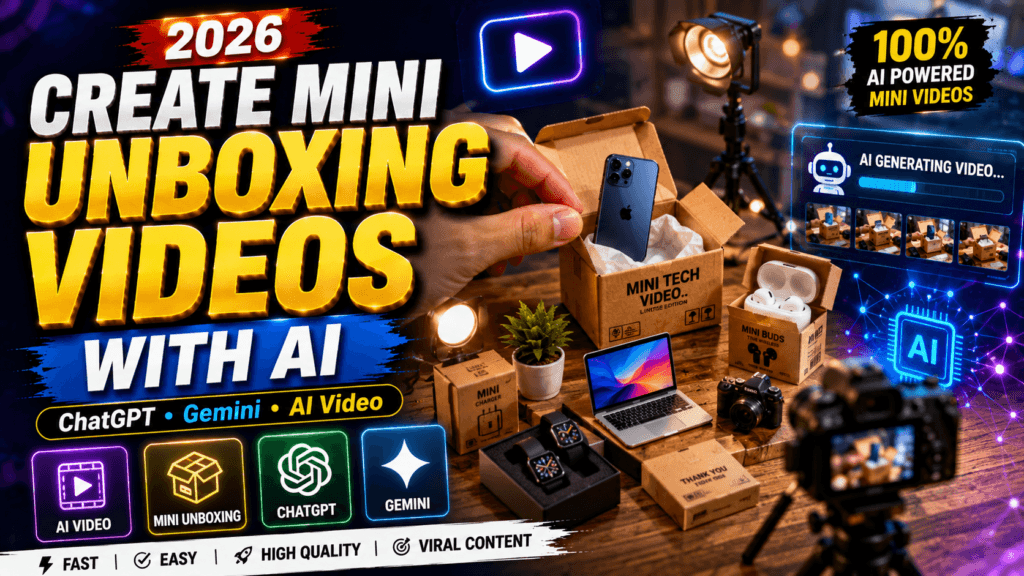
Create Mini Unboxing Videos with AI – AI has completely transformed the way creators produce short-form videos. Today, you no longer need expensive cameras, studio lighting, or even the physical product in your hands to create engaging unboxing content. With modern AI tools, you can generate realistic product images, animate them, add natural-sounding voiceovers, and publish professional-looking videos within minutes. This has opened exciting opportunities for YouTube Shorts, Instagram Reels, TikTok, and Facebook creators who want to grow quickly without investing a large budget.
Mini unboxing videos are especially popular because they are short, visually satisfying, and easy to watch. Viewers enjoy seeing products revealed in creative ways, and AI makes it possible to recreate that experience digitally. Whether you’re promoting affiliate products, showcasing gadgets, reviewing accessories, or simply experimenting with content, AI-powered unboxing videos can help you stand out. This guide explains everything you need to know, from choosing the right tools to creating videos that attract thousands of views.
What Are AI Mini Unboxing Videos?
AI mini unboxing videos are short videos created with artificial intelligence that simulate the experience of opening and reviewing a product. Instead of filming the product physically, AI generates realistic visuals and animations that look surprisingly authentic. These videos usually last between 15 and 60 seconds, making them perfect for today’s fast-paced social media platforms.
The popularity of AI-generated content has increased because it dramatically reduces production time. Instead of waiting for products to arrive, setting up a recording space, and editing footage manually, creators can complete the entire workflow using AI software. Businesses also benefit because they can showcase products before manufacturing or shipping begins.
A detailed miniature ASMR stop-motion video starting with hands unboxing a tiny realistic [PRODUCT NAME] from its mini packaging box. Close-up shots of hands removing protective film, assembling and installing the miniature [PRODUCT NAME] inside a cozy dollhouse room, plugging it into a mini wall outlet, and turning it on. Macro photography, satisfying aesthetic, realistic textures, soft warm lighting.
Another reason these videos perform well is their visual appeal. Smooth animations, attractive lighting, cinematic camera movements, and engaging transitions make viewers stay longer. Since social media algorithms reward watch time and engagement, well-designed AI unboxing videos often receive better reach than ordinary static posts.
Benefits of Creating AI Unboxing Videos
One of the biggest advantages of AI-generated unboxing videos is affordability. Traditional product videos require cameras, microphones, lighting equipment, editing software, and sometimes expensive products for demonstration. AI eliminates most of these costs, making professional-looking videos accessible to everyone.
Another major benefit is speed. A creator can produce multiple videos in a single day without waiting for deliveries or reshooting scenes. This consistency helps content creators upload regularly, which is essential for algorithm growth on YouTube Shorts and Instagram Reels.
AI also encourages creativity. You can create futuristic packaging, impossible camera angles, luxury environments, and premium visual effects that would normally require advanced filmmaking skills. Whether you’re promoting tech gadgets, fashion accessories, beauty products, or digital goods, AI lets you experiment freely without financial risk.
Best AI Tools for Mini Unboxing Videos
Several AI platforms are helping creators produce high-quality unboxing videos in 2026. Each tool serves a specific purpose within the production process.
| Tool | Purpose | Best For |
|---|---|---|
| Google Gemini | Prompt writing and content ideas | Script generation |
| ChatGPT | Video scripts and captions | SEO content |
| Kling AI | AI video generation | Product animation |
| Runway AI | Motion effects and editing | Cinematic scenes |
| ElevenLabs | AI voiceovers | Natural narration |
| CapCut | Final editing | Social media videos |
Using multiple AI tools together creates a smooth workflow. For example, ChatGPT can generate the script, Gemini can improve prompts, Kling AI can animate the visuals, ElevenLabs can create a voiceover, and CapCut can combine everything into a polished short video.
Step-by-Step Guide to Create AI Unboxing Videos
Step 1: Choose a Product
Select a product that people are actively searching for. Trending gadgets, mobile accessories, kitchen tools, beauty products, gaming devices, and smart home products generally perform well. Research trending categories on YouTube Shorts and Instagram Reels before deciding what to create.
Step 2: Generate Product Images
Use an AI image generator to create realistic product packaging and unboxing scenes. Write detailed prompts describing the box, lighting, camera angle, background, and product appearance. The more specific your prompt, the better the generated results.
Step 3: Animate the Images
Import the generated images into an AI video tool like Kling AI or Runway AI. Add slow zoom-ins, box-opening animations, product rotations, and cinematic lighting. These movements make the video feel realistic and professional.
Step 4: Add Voiceover
Create a friendly AI voice explaining the product’s key features. Keep the narration short, engaging, and energetic. Speak naturally rather than reading technical specifications. People enjoy hearing how the product solves a problem instead of listening to a list of features.
Step 5: Edit and Export
Combine the visuals, voiceover, subtitles, sound effects, and background music inside CapCut or another video editor. Export the final video in vertical 9:16 format with 1080×1920 resolution for maximum compatibility with social media platforms.
Tips to Make Your AI Unboxing Videos Go Viral
The first three seconds determine whether viewers continue watching. Start with a visually satisfying box-opening animation or a surprising reveal that immediately captures attention. Bright colors, premium lighting, and dynamic camera movement help increase viewer retention.
Keep your videos between 20 and 40 seconds for better completion rates. Add captions because many viewers watch without sound. Use trending background music and maintain a fast editing pace with quick scene changes every few seconds.
Always include a clear call-to-action at the end, such as asking viewers to comment, share, or follow for more AI-generated content. Engagement signals like comments and shares increase the chances of your videos being recommended by social media algorithms.
Common Mistakes to Avoid
Many beginners make the mistake of using generic AI prompts, resulting in unrealistic visuals. Spend time refining prompts to include lighting, materials, textures, camera angles, and product details. Better prompts almost always produce better videos.
Another common issue is overcrowding the video with too much text. Keep captions short and easy to read. Avoid robotic voiceovers by choosing natural AI voices with appropriate pacing and emotion.

Ignoring video quality is another mistake. Always export your content in high resolution and ensure smooth animations without glitches. Poor-quality visuals reduce viewer trust and decrease watch time.
Finally, avoid copying other creators directly. Use AI to develop your own style and presentation. Unique content builds a stronger brand and increases long-term audience loyalty.
Conclusion
AI has made professional-quality mini unboxing videos accessible to everyone. Even without expensive equipment or physical products, creators can now produce eye-catching short videos that look polished and engaging. By combining AI image generation, animation, voice synthesis, and simple editing tools, anyone can create content suitable for YouTube Shorts, Instagram Reels, TikTok, and Facebook.
Success depends not only on the tools you use but also on creativity, consistency, and understanding what viewers enjoy watching. As AI technology continues to improve, creators who learn these skills today will have a significant advantage in producing content faster, more efficiently, and at a much lower cost.
Frequently Asked Questions
1. Can I create AI unboxing videos for free?
Yes. Many AI tools offer free plans with limited daily usage, allowing beginners to create and test videos before upgrading.
2. Are AI-generated unboxing videos allowed on YouTube?
Yes, provided the content follows YouTube’s policies, is original, and includes meaningful value for viewers.
3. Which AI tool is best for beginners?
ChatGPT for scripting, Kling AI for animation, ElevenLabs for voiceovers, and CapCut for editing provide an excellent beginner-friendly workflow.
4. Can I monetize AI-generated videos?
Yes, as long as your content is original, transformative, and complies with the monetization guidelines of the platform you’re using.
5. What video length performs best?
Videos between 20 and 40 seconds generally perform well on short-form platforms because they encourage higher audience retention and repeat views.