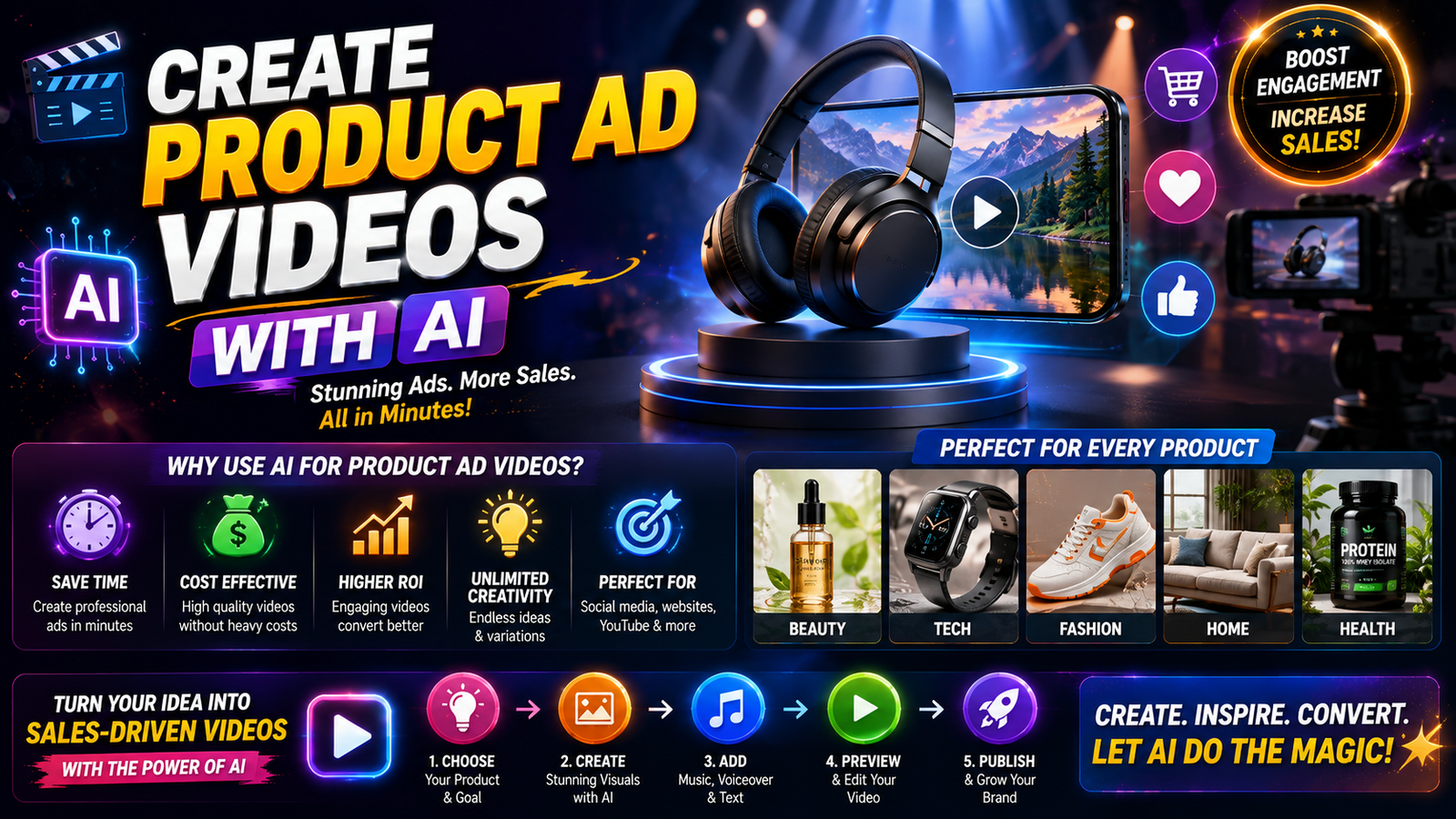
Commands for Product Ad Videos with AI – Making a professional product advertisement is no longer limited to a large studio, expensive camera, actors, crew members, and lighting. With a modern AI Video Generator, it is possible to convert a product image into an engaging advertisement with the help of commands or prompts. Adobe Firefly and other AI video tools can generate product shots, promotional clips, social media video, and image-to-video animation with the help of simple instructions. In addition, Adobe showcases product demo, advertising, and ecommerce promotional video as use cases for AI video generation.
The critical point is that using simple prompts like “make an amazing product ad” will not bring the expected results. The AI video models tend to favor explicit instructions with information about the camera motion, product action, lighting, environment, duration, mood, and final composition. The latest advice on prompting the AI video generators even compares it to a miniature director’s brief rather than a generic description.
AI Product Video Commands Explained
In general, an AI product video command is a set of instructions that ask an AI video generator to create an advertisement for a product. Instead of demonstrating how to shoot a bottle, watch, shoe, a gadget, cosmetics product, or food, it is possible to give a product image and ask to make the item rotatable, push the camera near to a specific product, add dramatic studio lighting and reflections, or put a product into an interesting lifestyle environment. The more instructions per frame are explicit, the easier it is for an AI to guess the expected outcome.
Reasons to Use Clear Commands When Designing Product Video with AI
The product advertisement has a different purpose compared to the average AI-generated video. The main point is that the product remains recognizable, so its shape, wrapping, colors, logo (if any), and other details should not alter in an unpredictable way during an animation.
As a result, a solid workflow tip is to use a product reference image when it is possible. Image-to-video workflows can utilize an existing product image instead of asking AI to invent product details from scratch.
50+ Commands for Videos
- /product_explosion — Product Explosion Video
- /3d_billboard — Realistic 3D Billboard Scene
- /dynamic_ad — Dynamic Product Advertisement
- /product_launch — Cinematic Product Launch
- /floating_product — Floating Product Cinematic
- /liquid_splash — Liquid Splash Product Shot
- /glass_break — Glass Breaking Reveal
- /neon_product — Neon Cinematic Product Scene
- /luxury_ad — Luxury Brand Advertisement
- /street_ad — Product Street Advertisement
- /giant_product — Giant Product City Scene
- /miniature_world — Miniature Product World
- /hologram_ad — Futuristic Hologram Advertisement
- /led_screen — Massive LED Screen Advertisement
- /billboard_reveal — Cinematic Billboard Reveal
- /360_product — 360° Product Rotation
- /macro_product — Extreme Macro Product Shot
- /camera_push — Cinematic Camera Push-In
- /camera_pull — Cinematic Camera Pull-Out
- /orbit_camera — 360° Orbit Camera Shot
- /drone_reveal — Cinematic Drone Reveal
- /aerial_ad — Aerial Advertisement Scene
- /portal_transition — Portal Product Transition
- /smoke_reveal — Smoke Product Reveal
- /fire_reveal — Fire Cinematic Product Reveal
- /ice_reveal — Ice Product Reveal
- /electric_reveal — Electric Energy Product Reveal
- /light_trail — Light Trail Product Motion
- /particle_explosion — Particle Explosion Reveal
- /dust_reveal — Dust Cinematic Reveal
- /water_reveal — Underwater Product Advertisement
- /rain_ad — Rainy Cinematic Advertisement
- /night_city — Night City Product Commercial
- /cyberpunk_ad — Cyberpunk Product Advertisement
- /futuristic_room — Futuristic Product Showcase
- /fashion_runway — Fashion Runway Advertisement
- /magazine_ad — Luxury Magazine-Style Advertisement
- /stop_motion — Stop-Motion Product Animation
- /toy_world — Toy-World Product Animation
- /paper_world — Paper-Cutout Product Animation
- /clay_animation — Clay-Style Product Animation
- /liquid_metal — Liquid Metal Product Reveal
- /chrome_reveal — Chrome Cinematic Reveal
- /gold_reveal — Premium Gold Product Reveal
- /black_luxury — Dark Luxury Advertisement
- /red_carpet — Red-Carpet Product Commercial
- /time_freeze — Time-Freeze Cinematic Effect
- /gravity_shift — Gravity-Defying Product Animation
- /impossible_scale — Giant-Scale Cinematic Advertisement
- /viral_commercial — Viral-Style Cinematic Product Commercial
The Basic AI Product Video Command Formula
Useful formula: Product + Scene + Action + Camera + Lighting + Mood + Duration + Aspect Ratio + Restrictions.
For example: Create a 7-second premium product advertisement using uploaded product image. Keep product shape, packaging, colors and branding consistent. Place the product on a luxury reflective surface. Slowly push camera towards product as soft cinematic light moves across surface. Add subtle particles and realistic reflections. Premium commercial style, smooth motion, shallow depth of field, no extra products, no warped branding, 9:16 vertical format.
This structure tells the AI what to do instead of leaving important creative decisions completely open.
Product and Scene Commands
Start by finding the product and environment that you want. You can try using commands such as:
“Keep uploaded product exactly consistent.”
“Place the product on a luxury marble surface.”
“Show the product in a modern kitchen.”
“Create a premium studio environment.”Place product beside natural lifestyle elements.”
Camera Movement Commands
Camera direction can have a big impact on the advertisement. Try commands such as:
“Slow cinematic push-in.”
“Smooth 360-degree orbit around product.”
“Macro close-up followed by a gentle pull-back.”
“Slow horizontal camera movement.”

“Locked camera with subtle product rotation.”
Having one clear camera intention per generation is generally more reliable than asking for multiple complicated moves in a short clip.
Lighting and Mood Commands
Lighting helps to communicate whether the product feels luxurious, energetic, natural, futuristic, or affordable.
Try:
“Soft luxury studio lighting.”
“Dramatic rim lighting。”
“Warm golden-hour lighting.”
“Bright clean ecommerce lighting.”Neon futuristic lighting.”
“Soft morning window light.”
10 Copy-Paste Commands for Product Ads
Here are some useful commands that can be adapted to almost any physical product.
- Premium Product Reveal
Create an cinematic 8-second product advertisement using uploaded product image. Keep product identical and perfectly recognizable. Start with dark environment and slowly reveal product using dramatic rim lighting. The camera gently pushes forward as the product becomes fully illuminated. Premium commercial photography, realistic reflections, shallow depth of field, smooth motion, no product distortion.
- 360-Degree Product Showcase
Create a smooth 360-degree product showcase using uploaded product image. Keep the product shape, colors, logo and packaging consistent. Rotate camera slowly around the product while maintaining centered composition. Luxury studio background, soft reflections, controlled lighting, realistic shadows, premium advertising style.
- Lifestyle Product Advertisement
Turn the uploaded product image into a realistic lifestyle advertisement. Place the product naturally inside a modern home environment. Use soft daylight, realistic shadows and subtle background blur. Slowly move the camera toward the product while keeping the product as the visual focus. Premium ecommerce commercial, natural movement, realistic textures.
- Luxury Beauty Ad
Create a high-end beauty product advertisement from the uploaded image. Place the product on a glossy surface surrounded by elegant cosmetic elements. Use soft pink and white studio lighting, floating particles and subtle reflections. Slowly push camera towards the product. Luxury beauty campaign, realistic materials, clean composition.
- Tech Product Ad
Create a futuristic cinematic advertisement for the uploaded technology product. Place it inside a dark premium studio with subtle blue lighting and glowing reflections. Slowly orbit around the product while highlighting important design details. High-end technology commercial, realistic lighting, smooth camera movement, sharp product focus.
- Food Product Ad
Create a mouth-watering commercial for the uploaded food product. Place it on a premium dining surface with realistic ingredients surrounding it. Add subtle steam and natural food movement. Use warm cinematic lighting and a slow camera push-in. Photorealistic food advertisement, appetizing textures, premium commercial quality.
- Unboxing Advertisement
Create a 7-second cinematic unboxing video using uploaded product packaging. Show the package opening naturally and reveal the exact product inside. Keep the packaging and product consistent throughout the video. Soft studio lighting, realistic hands, smooth movement, premium ecommerce advertisement, no additional logos or text.
- Product Transformation Ad
Create a dynamic product transformation advertisement using uploaded product image. Start with a simple clean background, then transition into a premium cinematic environment while keeping the product unchanged. Add dramatic lighting and a smooth camera movement. End with the product centered in a powerful hero shot.

- Social Media Hook
Create a fast-paced 8-second vertical product advertisement designed for Instagram Reels/TikTok. Start immediately with an extreme close-up of the product, then quickly reveal complete product using smooth camera pull-back. High-energy commercial lighting, realistic motion, strong visual hook, product remain consistent, 9:16 format.
- Final Hero Shot
Create a premium final product hero shot from uploaded image. Keep the product completely consistent and centered. Use cinematic lighting, realistic shadows, subtle atmospheric particles and a polished reflective surface. Slowly move the camera forward and finish with product filling most of the frame. Leave clean negative space for advertising text.
Commands for Social Media Product Videos
Short-form platforms need to immediately grab the eye. Instead of spending the first few seconds revealing an empty environment, start with the product or something interesting about it. A strong sequence can start with a close-up, reveal the complete product, demonstrate its use, and finish with a clean hero frame.
For Instagram Reels, TikTok, and YouTube Shorts, use a vertical 9:16 composition. You can also create separate versions for different platforms instead of forcing one horizontal video into every format. AI video workflows increasingly support multiple formats and aspect ratios, making this approach practical for marketing campaigns.
How to Keep the Product Consistent
Product consistency is one of the biggest challenges when generating AI advertisements. The AI might accidentally change packaging, logos, colors, proportions, labels, and/or small product details.
The easiest way to reduce this issue is to start with a high-quality reference image of the actual product. Then use the prompt primarily to control motion, camera direction, lighting, and environment rather than repeatedly describing the product in different ways. This approach is currently recommended by AI product-video prompting workflows because the reference image can carry the product identity while the prompt controls the animation.
You should also add restrictions such as “keep product unchanged,” “no duplicate products,” “no distorted logo,” “no warped packaging,” and “maintain original colors.”
Best Practices for AI Product Ads
The best AI product advertisements are usually built as several short shots rather than one enormous generation. For example: Create a hero reveal, a close-up detail shot, a lifestyle shot, and a final product frame. These can then be edited together into a polished advertisement.
Keep each command focused on one main action. Ask the AI to rotate the product, zoom in, change the environment, introduce a person, open the packaging, add particles, and perform a dramatic camera crane at once and the result can become unstable. One clear visual idea per shot gives you more control.
You should also test several variations. Change the camera movement, lighting, background, or opening hook while keeping the product reference the same. This allows you to create multiple creative versions without organizing another physical photoshoot.
Conclusion
AI product video commands can transform a simple product photograph into a professional-looking advertisement. The secret is not using fancy words, it is giving the AI specific direction. Tell it what camera should do, how the lighting should look, what environment to create, how long the shot should be, and what must remain unchanged.
For the best results, start with a high-quality product image, use one clear action per generation, protect the product’s identity, and create several short clips that can be edited together. Whether you are promoting ecommerce products, gadgets, cosmetics, clothing, food, or digital products, a well-structured AI video command can form the foundation of an effective advertising workflow.
FAQs
- What is the best command for an AI product advertisement?
A strong command should include the product reference, scene, camera movement, lighting, mood, duration, aspect ratio, and restrictions. For example: specify slow camera push-in, premium lighting, consistent product appearance, and clean final hero frame.
- Can I create a product video from one product photo?
Yes. Image-to-video AI tools can animate an uploaded product image and create motion around it. Adobe Firefly, for example, supports image-to-video workflows for product demonstrations and advertising content.
- How long should an AI product advertisement be?
Short clips are often easier to control. For social advertisements, generating several short shots and combining them during editing can give you more control than requesting one long AI-generated video. Current product-video workflows commonly focus on short clips in the range of several seconds.
- What aspect ratio should I use for product ads?
Use 9:16 for vertical platforms such as Reels, TikTok, and Shorts. Use 16:9 for traditional YouTube videos and many website placements. Square 1:1 can also be useful for certain ecommerce and social placements.
- How can I stop AI from changing my product?
Use a clear, high-resolution reference image that will help guide the AI.and explicitly instruct the model to preserve the product’s shape, colors, packaging, logo placement, and proportions. Avoid unnecessary product descriptions that conflict with the reference image, and generate short shots with simple movements.