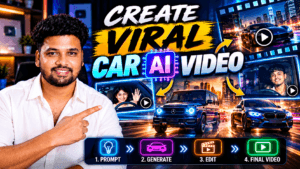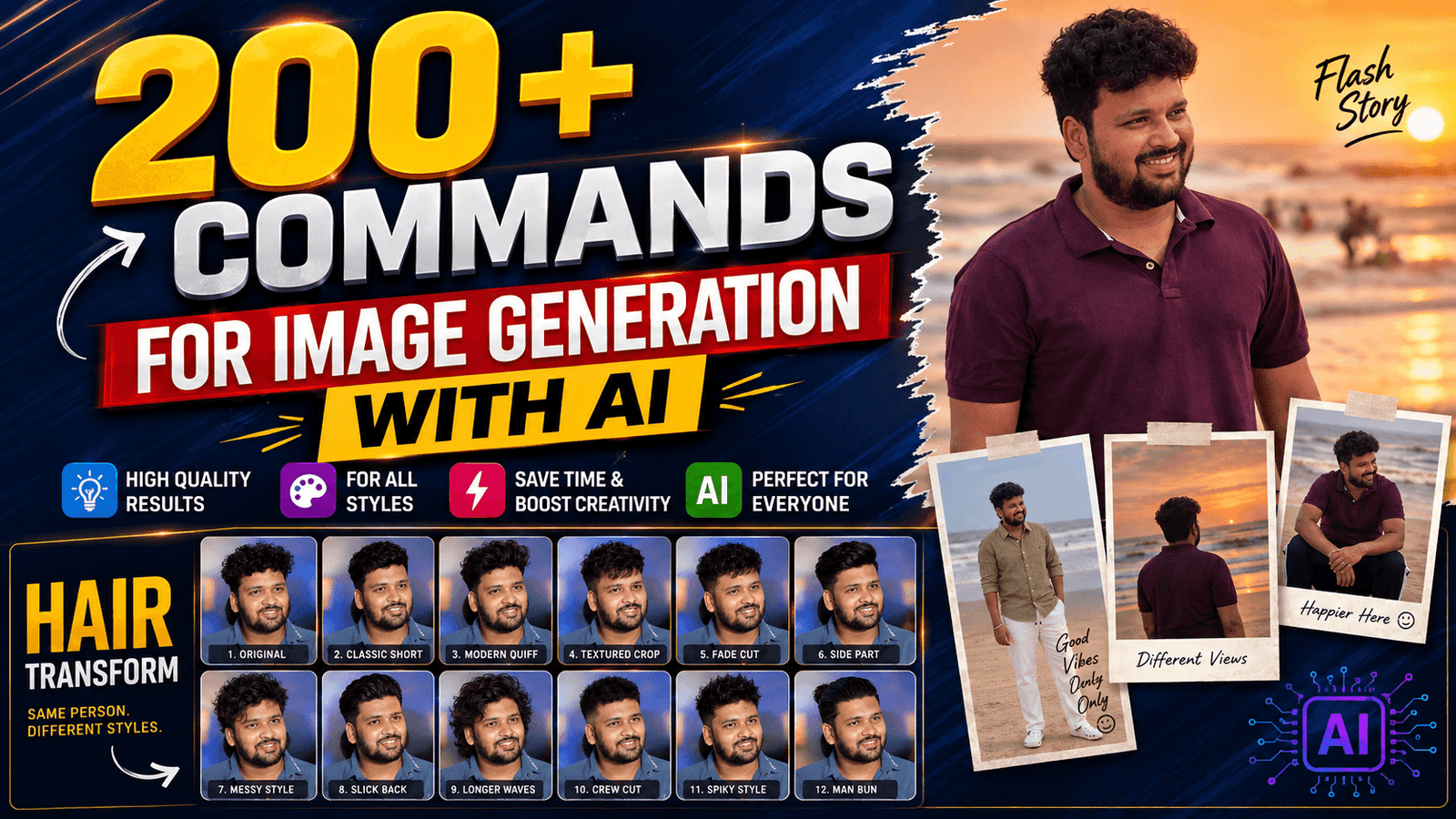
200+ Commands for Image Generation with AI – AI image generation has moved from being a novelty to becoming a practical creative tool for bloggers, YouTubers, marketers, designers, students, businesses, and social media creators. Instead of opening complicated design software and spending hours creating a visual from scratch, you can describe what you want in ordinary language and let an AI image generator turn that description into an image. Current tools can handle everything from photorealistic scenes and portraits to illustrations, posters, product visuals, social media graphics, and image editing. OpenAI’s current image-generation guidance emphasizes clear descriptive prompts and iterative refinement, while Google’s current documentation recommends describing the subject, context, style, and visual details clearly.
The important thing to understand is that an AI image command is really a prompt or instruction. You are not programming the image in the traditional sense. You are communicating a visual idea. Think of it like giving directions to a highly talented digital photographer who cannot see inside your head. If you simply say, “Create a car,” you may receive something attractive, but it may not match your intended camera angle, environment, lighting, mood, colors, or composition. If you explain the important details, the generator has much more information to work with.
ALL COMMANDS HERE
Face Commands
- /HAIRSTYLE GRID
- /FACE HARMONY
- /SKIN GLOW TIPS
- /COLOR FIT TIPS
More Commands
- /OUTFITSWAP
- /FLASH STORY
- /SUNSET TRIP
- /HAIRTRANSFORM
- /MIRROR OUTFIT
- /MULTIPORTRAIT
- /MIRRORPORTRAIT
- /MIRRORLOOK
- /MIRRORFIT
- /MIRRORPOSE
- /MIRRORSELFIE
- /MIRRORSHOT
- /MIRRORREFLECTION
- /MIRRORSTORY
- /MIRROREDITORIAL
- /MIRRORFASHION
- /MIRRORLUXURY
- /MIRRORCANDID
- /MIRRORFLASH
- /MIRRORLIGHT
- /MIRRORNIGHT
- /MIRRORSTUDIO
- /MIRRORWALK
- /MIRROROUTFIT
- /MIRRORTRANSFORM
- /MIRRORREVEAL
- /EDITORIALCOLLAGE
- /MODELPORTFOLIO
- /MONOCHROMEPORTRAIT
- /COLORPOP
- /LUXURYMAN
- /FASHIONCAMPAIGN
- /PHOTOSTORY
- /STYLEBOOK
- /MULTIPORTRAIT
- /CELEBRITYSTYLE
- /COLORPOP
- /SELECTIVECOLOR
- /COLORACCENT
- /REDACCENT
- /COLORFOCUS
- /MONOPOP
- /COLORISOLATION
- /EDITORIALCOLOR
- /PAPARAZZISHOT
- /CAUGHTMOMENT
- /SECRETROOM
- /MIRRORWORLD
- /REFLECTIONWORLD
- /THROUGHGLASS
- /FLASHBACK
- /TIMEJUMP
- /FUTURESELF
- /PASTSELF
- /ALTERNATESELF
- /DREAMSCENE
- /MISSINGFRAME
- /LOSTPHOTO
- /UNSEENSHOT
- /HIDDENSTORY
- /MYSTERYFRAME
- /ACCIDENTALSHOT
- /STOLENFRAME
- /FINALFRAME
- /PARISLOOK
- /DUBAILOOK
- /LONDONDAY
- /NEWYORKSTYLE
- /TOKYOSTREET
- /SWISSTRIP
- /GOATRIP
- /MALDIVESLOOK
- /MOUNTAINFIT
- /DESERTFIT
- /BEACHFIT
- /RAINYTRIP
- /SUNSETTRIP
- /NIGHTTRAVEL
- /HOTELLOOK
- /AIRPORTSTYLE
- /MONOCHROMEPORTRAIT
- /BLACKWHITEEDITORIAL
- /CLASSICMONO
- /NOIRPORTRAIT
- /NOIRFASHION
- /BLACKWHITELOOK
- /CONTRASTPORTRAIT
- /SHADOWPORTRAIT
Photo & Camera Effects
- 1. /photorealistic – Makes the edited image look like a real photograph.
- 2. /hyperreal – Makes the image extremely detailed and realistic.
- 3. /cinematic – Gives the photo a movie-like look.
- 4. /imax – Creates a dramatic, large-scale cinematic appearance.
- 5. /hdr – Improves detail and contrast between bright and dark areas.
- 6. /filmgrain – Adds a vintage film-grain texture.
- 7. /polaroid – Makes the photo look like a Polaroid picture.
- 8. /retro90s – Gives the image a nostalgic 1990s look.
- 9. /y2k – Creates an early-2000s futuristic aesthetic.
- 10. /bokeh – Adds a soft, blurry background.
- 11. /fisheye – Creates a wide, curved fisheye-lens effect.
- 12. /macro – Creates an extreme close-up photography look.
- 13. /droneview – Makes the image look like it was shot from above.
- 14. /silhouette – Turns the subject into a dark silhouette.
- 15. /doubleexposure – Blends two images or scenes together.
Lighting & Visual Effects
- 16. /goldenhour – Adds warm, soft golden sunlight.
- 17. /sunset – Gives the scene a warm sunset atmosphere.
- 18. /sunrise – Creates a bright morning-sunrise look.
- 19. /moonlight – Gives the image a cool moonlit appearance.
- 20. /neon – Adds bright glowing neon lights.
- 21. /cyberpunk – Gives the photo a futuristic neon look.
- 22. /synthwave – Creates a retro neon aesthetic.
- 23. /outrun – Gives the image a retro-futuristic look.
- 24. /glitch – Adds digital distortion effects.
- 25. /hologram – Makes the subject look like a holographic projection.
- 26. /holographic – Adds colorful holographic reflections.
- 27. /iridescent – Gives surfaces shifting rainbow-like colors.
- 28. /pearlescent – Adds a soft pearl-like shine.
- 29. /bioluminescent – Makes parts of the image appear to glow naturally.
- 30. /fire – Adds flames or fiery effects.
- 31. /electric – Adds glowing electrical energy.
- 32. /lightning – Adds lightning bolts and flashes.
- 33. /smoke – Adds smoke around the subject or scene.
- 34. /fog – Creates a thick foggy atmosphere.
- 35. /mist – Adds a soft, light mist effect.
- 36. /cloudscape – Adds dramatic or artistic clouds.
- 37. /aurora – Adds colorful Northern-Lights-style lighting.
2. 🎨 Artistic Styles
Art & Illustration
- 38. /mangacover – Turns your photo into a manga-style book cover.
- 39. /comicbook – Makes your photo look like a comic-book scene.
- 40. /watercolor – Converts the photo into a soft watercolor painting.
- 41. /vaporwave – Gives the image a pink-and-blue retro aesthetic.
- 42. /pixelart – Turns the photo into pixel art.
- 43. /lego – Makes the subject look like it is built from LEGO bricks.
- 44. /ascii – Recreates the image using keyboard characters.
- 45. /lowpoly – Turns the subject into a low-polygon 3D style.
- 46. /origami – Makes the subject look like folded paper art.
- 47. /claymation – Gives the photo a clay-animation appearance.
- 48. /papercut – Turns the image into layered paper-cut artwork.
- 49. /stainedglass – Makes the subject look like stained glass.
- 50. /oilpainting – Converts the photo into an oil painting.
- 51. /charcoal – Turns the photo into a charcoal drawing.
- 52. /pencilsketch – Makes the image look hand-drawn with pencil.
- 53. /inkdrawing – Converts the photo into black-ink artwork.
- 54. /ghibli – Gives the image a soft, hand-painted animated look.
- 55. /anime – Converts the subject into an anime-style character.
- 56. /chibi – Makes the person look like a cute, small-proportioned character.
- 57. /disney – Gives the image a classic animated-film look.
- 58. /pixar – Gives the subject a polished 3D animated appearance.
- 59. /dreamworks – Converts the photo into a 3D animated style.
- 60. /noir – Creates a dark black-and-white detective-film look.
- 61. /popart – Gives the image a bold, colorful pop-art style.
- 62. /cubism – Breaks the subject into geometric shapes.
- 63. /surreal – Creates a strange, dream-like version of the photo.
- 64. /abstract – Turns the image into non-realistic abstract art.
- 65. /expressionism – Gives the photo an emotional painting style.
- 66. /renaissance – Makes the subject look like a Renaissance painting.
- 67. /baroque – Gives the image a dramatic classical-painting look.
- 68. /gothic – Creates a dark medieval-gothic atmosphere.
- 69. /fantasy – Transforms the photo into a magical fantasy scene.
- 70. /mythology – Gives the subject a mythological appearance.
- 71. /medieval – Makes the photo look like it belongs in medieval times.
Drawing & Design Styles
- 72. /lineart – Converts the photo into clean outline art.
- 73. /doodle – Gives the image a hand-drawn doodle style.
- 74. /graffiti – Turns the image into street-art graffiti.
- 75. /spraypaint – Makes the image look spray-painted.
- 76. /marker – Creates a marker-drawn illustration.
- 77. /crayon – Gives the image a crayon-drawing style.
- 78. /pastel – Creates a soft pastel-art appearance.
- 79. /gouache – Converts the image into a gouache painting.
- 80. /acrylic – Gives the image an acrylic-paint appearance.
- 81. /impasto – Adds thick, visible paint strokes.
- 82. /fresco – Makes the image look like an old wall fresco.
- 83. /mosaic – Recreates the image using small colored tiles.
- 84. /mandala – Adds a detailed circular mandala design.
- 85. /zentangle – Adds detailed repetitive line patterns.
- 86. /tattoo – Turns the artwork into a tattoo-style design.
- 87. /tribal – Adds bold tribal-style patterns.
- 88. /boho – Gives the image a relaxed bohemian aesthetic.
- 89. /artdeco – Adds elegant geometric Art Deco styling.
- 90. /bauhaus – Uses simple geometric shapes and clean design.
- 91. /brutalist – Gives the image a raw, bold design.
- 92. /memphis – Adds colorful 1980s-style geometric shapes.
- 93. /gradientmesh – Creates smooth, flowing color gradients.
3. 🤖 Character & 3D Transformations
- 94. /aiavatar – Creates an AI-avatar version of the person.
- 95. /robot – Turns the person or subject into a robot.
- 96. /android – Gives the person a human-like robotic appearance.
- 97. /cyborg – Combines human features with robotic parts.
- 98. /virtualreality – Places the subject in a VR-style world.
- 99. /metaverse – Gives the image a futuristic digital-world appearance.
- 100. /matrix – Adds a Matrix-inspired digital-code aesthetic.
- 101. /voxel – Turns the subject into 3D blocks.
- 102. /blockworld – Creates a world made from large 3D blocks.
- 103. /minecraft – Gives the image a Minecraft-inspired look.
- 104. /roblox – Turns the person into a Roblox-style character.
- 105. /fortnite – Gives the subject a stylized game-character appearance.
- 106. /funko – Turns the person into a Funko-style collectible figure.
- 107. /actionfigure – Makes the person look like an action figure.
- 108. /toybox – Makes the subject look like a toy.
- 109. /miniature – Makes the person or scene look like a tiny model.
4. 🧱 Material & Texture Transformations
- 110. /woodcarving – Makes the subject look carved from wood.
- 111. /icecarving – Turns the subject into an ice sculpture.
- 112. /marble – Makes the subject look like a marble statue.
- 113. /bronze – Gives the subject a bronze-sculpture appearance.
- 114. /ceramic – Makes the subject look like ceramic.
- 115. /porcelain – Gives the subject a smooth porcelain finish.
- 116. /crystal – Turns the subject into a transparent crystal-like object.
- 117. /diamond – Gives the subject a diamond-like appearance.
- 118. /goldleaf – Covers the subject with a gold-leaf finish.
- 119. /silverchrome – Gives the subject a shiny chrome appearance.
- 120. /rusted – Adds an aged, rusty-metal texture.
- 121. /oxidized – Gives metal a greenish oxidized-copper look.
- 122. /carbonfiber – Applies a carbon-fiber texture.
- 123. /liquidmetal – Makes the subject look like flowing metal.
- 124. /moltengold – Creates a melted-gold appearance.
- 125. /glassart – Turns the subject into artistic glass.
- 126. /mirror – Gives the subject a reflective mirror-like surface.
5. 🖼️ Creative Designs & Formats
- 127. /magazinecover – Turns your photo into a magazine cover.
- 128. /newspaper – Makes the image look like newspaper print.
- 129. /passportphoto – Creates a passport-photo-style version.
- 130. /idcard – Places the person into an ID-card design.
- 131. /tradingcard – Turns the person into a collectible trading card.
- 132. /poster – Creates a poster using the photo as the main visual.
- 133. /billboard – Places the subject into a billboard-style advertisement.
- 134. /albumcover – Turns the photo into a music album cover.
- 135. /bookcover – Creates a book-cover design using the subject.
- 136. /storybookcover – Turns the image into a children’s storybook cover.
- 137. /magicalbook – Makes the image look like an ancient magical book.
- 138. /scroll – Places the image into an old scroll-style design.
- 139. /map – Converts the scene into an illustrated map.
- 140. /playingcard – Turns the subject into a playing-card design.
- 141. /tarotcard – Creates a tarot-card-style version.
- 142. /stamp – Turns the photo into a postage-stamp design.
- 143. /coin – Makes the subject look engraved on a coin.
- 144. /currency – Turns the image into a banknote-style design.
- 145. /emblem – Creates a premium emblem featuring the subject.
- 146. /crest – Turns the subject or design into a decorative crest.
- 147. /coatofarms – Creates a royal coat-of-arms-style design.
- 148. /badge – Turns the subject into an award or collectible badge.
- 149. /sticker – Creates a sticker-style version with a clean outline.
- 150. /emoji – Turns the subject into a 3D emoji-style character.
- 151. /icon – Simplifies the subject into an app or profile icon.
This guide gives you 200+ ready-to-use AI image generation commands covering photography, portraits, products, YouTube thumbnails, social media, business, fantasy, nature, fashion, food, posters, festivals, travel, cartoons, and image editing. You can copy them directly, replace the subject with your own idea, or combine pieces from different commands to create completely new prompts.
What Are AI Image Generation Commands?
An AI image generation command is a written instruction that tells an image model what visual result you want. Different platforms interpret prompts somewhat differently, but the basic concept remains remarkably consistent: explain the subject, describe the surrounding environment, establish the desired visual style, and provide important composition or technical requirements. Midjourney’s official documentation, for example, explains that prompts can range from a single word to a complete phrase and recommends focusing on important details such as subject, medium, environment, lighting, color, mood, and composition.
You can use these commands with many modern AI image workflows, although syntax and capabilities vary by platform. A natural-language prompt may work particularly well in conversational image tools, while platforms such as Midjourney also provide parameters for things such as aspect ratio and image references. Midjourney currently supports image prompts and parameters, allowing users to influence content, composition, colors, and other characteristics.
Why Prompt Structure Matters
A useful prompt does not need to become a giant wall of adjectives. In fact, more words do not automatically mean better images. OpenAI’s current guidance says that effective image prompts can often be just one to three clear sentences, with the important goal being to explain what the image is, how it should feel, and what it needs to accomplish.
A practical structure is:
Subject + Action + Environment + Style + Lighting + Composition + Output Requirements
For example:
Create a cinematic photograph of a young entrepreneur working on a laptop in a modern glass office, warm sunset light entering through large windows, realistic skin texture, shallow depth of field, premium commercial photography, horizontal 16:9 composition.
That is much more useful than simply writing “business person working on laptop.”
The Best Formula for Writing AI Image Commands
The strongest prompts usually start with the thing that matters most: the subject. After that, explain what the subject is doing, where it is, and how you want the scene represented. You can then add lighting, color, camera perspective, mood, composition, and output format. Google’s current image-generation documentation similarly recommends specifying subject, context/background, and style, while its prompt examples add details for particular visual goals.
A reusable formula is:
Create a [type of image] showing [subject] [action] in [environment], using [style], [lighting], [color palette], [camera/composition], with [important details].
For editing an existing image, a different structure works better:
Using the provided image, [make the requested change], while preserving [important original elements], matching the existing lighting, perspective, colors, and visual style.
This distinction is important. If you are generating an entirely new image, describe the final scene. If you are editing an uploaded image, clearly explain what should change and what should remain unchanged. Google’s current image-editing examples follow this type of instruction, describing the requested modification while asking the model to integrate it naturally with the existing image.

20 AI Image Commands for Photorealistic Images
Photorealistic prompts are useful when you want visuals that resemble professional photography rather than digital artwork. They are particularly valuable for blog hero images, advertisements, product pages, travel content, business websites, and social media posts. The key is to describe believable environments, natural lighting, realistic materials, appropriate perspective, and photographic composition instead of simply adding the word “realistic” repeatedly.
- Create a photorealistic photograph of a modern city skyline at sunrise, soft golden light, realistic buildings, natural atmospheric haze, professional architectural photography.
- Create a photorealistic image of a young entrepreneur working at a laptop in a premium modern office, natural window light, realistic skin texture, cinematic depth of field.
- Create a realistic photograph of a luxury car driving along a coastal highway during sunset, dramatic clouds, natural reflections, cinematic automotive photography.
- Create a photorealistic image of a peaceful coffee shop interior, wooden furniture, warm pendant lights, realistic textures, editorial photography.
- Create a realistic photograph of a busy Indian street market at evening, colorful shops, pedestrians, natural lighting, documentary photography.
- Create a photorealistic image of a modern apartment living room, minimalist furniture, sunlight through large windows, realistic materials, interior photography.
- Create a realistic photograph of a mountain village surrounded by green forests, early morning mist, natural colors, professional landscape photography.
- Create a photorealistic image of a businessman standing outside a glass skyscraper, confident pose, evening light, realistic clothing and reflections.
- Create a realistic photograph of a beautiful beach at sunrise, gentle waves, wet sand reflections, natural colors, high-detail travel photography.
- Create a photorealistic photograph of a classic motorcycle parked beside an old brick building, soft afternoon light, realistic metal textures.
- Create a realistic image of a modern kitchen with marble countertops, natural daylight, realistic appliances, premium real-estate photography.
- Create a photorealistic photograph of a woman reading a book beside a large window on a rainy afternoon, soft natural lighting, intimate atmosphere.
- Create a realistic photograph of a crowded railway station during morning rush hour, cinematic perspective, authentic human expressions, documentary style.
- Create a photorealistic image of a luxury hotel lobby with elegant furniture, warm lighting, polished marble floors, professional architectural photography.
- Create a realistic photograph of a young creator recording a YouTube video in a home studio, professional lights, camera equipment, realistic environment.
- Create a photorealistic image of a futuristic electric car charging at a modern station at night, neon reflections, realistic materials.
- Create a realistic photograph of a family having breakfast in a bright modern home, natural expressions, soft sunlight, lifestyle photography.
- Create a photorealistic image of a professional photographer carrying a camera through a city street, shallow depth of field, natural urban lighting.
- Create a realistic photograph of a rainy city street at night, reflections on wet pavement, glowing storefronts, cinematic photography.
- Create a photorealistic image of a peaceful countryside road surrounded by fields during golden hour, natural colors, realistic atmospheric perspective.
20 AI Portrait Commands
Portrait generation becomes much more powerful when you specify expression, clothing, environment, lighting, framing, and photographic style. Avoid relying only on generic phrases such as “beautiful person.” Instead, establish the character and visual story you want. For a consistent person based on an uploaded reference, explicitly explain that the important facial identity should be preserved when the tool supports reference-based editing.
- Create a professional studio portrait of a confident young entrepreneur, navy blazer, soft key lighting, realistic skin texture, 85mm portrait photography.
- Create a cinematic portrait of a woman standing beneath neon city lights at night, dramatic rim lighting, shallow depth of field.
- Create a natural outdoor portrait of a smiling young man in a green park, soft morning sunlight, realistic skin texture, editorial photography.
- Create a royal Indian-inspired portrait with elegant traditional clothing, detailed jewelry, warm cinematic lighting, luxurious background.
- Create a professional corporate headshot with a neutral studio background, confident expression, realistic lighting and natural skin tones.
- Create a dramatic black-and-white portrait of an elderly man with expressive eyes, detailed facial texture, classic photography.
- Create a fashion portrait of a young woman wearing a modern designer outfit, urban background, cinematic lighting, editorial magazine style.
- Create a cinematic portrait of a mysterious traveler standing in a mountain landscape, cloudy sky, dramatic natural light.
- Create a cheerful portrait of a child playing in a flower garden, warm sunlight, natural expression, realistic photography.
- Create a premium beauty portrait with soft diffused lighting, elegant styling, realistic skin texture, luxury editorial photography.
- Create a cyberpunk portrait of a futuristic character, neon blue and magenta lighting, detailed clothing, cinematic atmosphere.
- Create a traditional Indian portrait with elegant ethnic clothing, warm colors, temple-inspired background, realistic photography.
- Create a street-style portrait of a fashionable young man in an urban neighborhood, dramatic shadows, editorial photography.
- Create a dreamy portrait surrounded by flowers, soft pastel colors, gentle sunlight, ethereal atmosphere.
- Create a professional LinkedIn-style portrait with business clothing, clean background, realistic lighting and approachable expression.
- Create a cinematic close-up portrait with dramatic side lighting, detailed eyes, natural skin texture, dark background.
- Create a vintage 1970s portrait with period clothing, warm film grain, authentic colors, classic photography.
- Create a futuristic business executive portrait inside a glass skyscraper, blue ambient lighting, premium commercial photography.
- Create an adventurous portrait of a traveler standing beside a mountain lake, golden-hour lighting, realistic outdoor photography.
- Create a peaceful portrait of a person meditating beside a lake at sunrise, soft mist, warm light, serene cinematic atmosphere.
20 AI Product Photography Commands
Product photography is one of the most practical uses of AI images. Businesses can use generated concepts for advertisements, landing pages, social media campaigns, mood boards, and creative direction. For an existing product, image-reference or editing capabilities can be useful because the product’s shape, branding, and important physical characteristics may need to remain consistent. Modern image tools increasingly support image-based generation and editing workflows.
- Create a premium product photograph of a black smartwatch floating above a reflective surface, dramatic studio lighting, luxury advertisement style.
- Create a commercial photograph of wireless earbuds inside a futuristic charging case, soft blue lighting, clean background.
- Create a luxury perfume bottle surrounded by flowers and soft mist, elegant studio lighting, premium advertising photography.
- Create a professional product photo of a modern smartphone on a glass table, dramatic reflections, minimalist background.
- Create a premium laptop advertisement with the laptop open on a modern desk, cinematic lighting, realistic materials.
- Create a commercial photograph of running shoes on a wet urban street, dramatic lighting, dynamic sports advertisement.
- Create a luxury wristwatch on black marble, controlled studio lighting, detailed metal reflections, premium product photography.
- Create a professional photograph of a wireless speaker in a modern living room, natural daylight, lifestyle advertising.
- Create a beauty advertisement featuring a skincare bottle surrounded by water droplets and green leaves, clean luxury aesthetic.
- Create a premium camera product photograph on a dark studio background, dramatic rim lighting, detailed lens reflections.
- Create a commercial photograph of sunglasses on a tropical beach, warm sunlight, realistic shadows, luxury travel aesthetic.
- Create a premium coffee package standing beside coffee beans and a ceramic cup, warm studio lighting, realistic packaging.
- Create a modern desk setup featuring a mechanical keyboard and gaming mouse, RGB lighting, cinematic technology advertisement.
- Create a luxury handbag product photograph on a marble pedestal, elegant studio lighting, fashion campaign style.
- Create a professional photograph of a smart home device in a modern living room, soft daylight, clean commercial composition.
- Create an advertisement for a fitness bottle surrounded by water splashes, dramatic lighting, high-speed photography style.
- Create a premium jewelry product photo featuring a diamond necklace on black velvet, sparkling highlights, luxury advertising.
- Create a commercial image of a modern electric scooter in a futuristic city, cinematic lighting, premium transportation advertisement.
- Create a product photograph of a gaming controller on a futuristic desk, neon ambient lighting, sharp details.
- Create a luxury watch advertisement featuring a close-up mechanical movement, macro photography, dramatic highlights.
20 AI YouTube Thumbnail Commands
YouTube thumbnails need a different visual strategy from ordinary photography. A thumbnail should communicate the subject quickly, create curiosity, and remain readable when displayed at a small size. Strong contrast, clear hierarchy, a single dominant subject, and carefully positioned text usually matter more than adding dozens of visual effects. If text is required, modern image models can render text with varying degrees of accuracy; for example, Midjourney’s current documentation recommends quotation marks for text and keeping text relatively short.
- Create a high-impact YouTube thumbnail about AI image generation, futuristic AI interface, glowing effects, dramatic composition, bold headline area, 16:9.
- Create a viral YouTube thumbnail showing a smartphone transforming into an AI-powered device, dramatic lighting, bright futuristic background.
- Create a YouTube thumbnail for a technology review, premium smartphone centered, glowing outline, dramatic studio background, strong contrast.
- Create a YouTube thumbnail about making money online, laptop, money graphics, modern workspace, energetic cinematic lighting.
- Create a YouTube thumbnail about ChatGPT, futuristic AI interface, glowing digital elements, dramatic blue-purple atmosphere.
- Create a YouTube thumbnail about Gemini AI, futuristic artificial intelligence interface, vibrant lighting, large central subject.
- Create a YouTube thumbnail about AI photo editing, before-and-after visual concept, dramatic split composition, modern technology aesthetic.
- Create a YouTube thumbnail about the best budget gadgets, multiple gadgets arranged dramatically, bright studio lighting, clean composition.
- Create a YouTube thumbnail about smartphone photography, premium phone camera close-up, dramatic lens flare, cinematic background.
- Create a YouTube thumbnail about hidden AI tools, mysterious futuristic interface, glowing icons, dark cinematic background.
- Create a YouTube thumbnail about AI video generation, digital screen showing cinematic footage, futuristic studio, dramatic lighting.
- Create a YouTube thumbnail about online shopping deals, multiple attractive products, bright retail environment, energetic composition.
- Create a YouTube thumbnail about a remote-control car, realistic miniature car racing through a dramatic track, motion blur.
- Create a YouTube thumbnail about a new laptop review, premium laptop on futuristic desk, glowing screen, cinematic lighting.
- Create a YouTube thumbnail about smartphone tricks, phone floating in the center, colorful digital effects, high contrast.
- Create a YouTube thumbnail about AI prompts, giant prompt interface, glowing text areas, futuristic technology background.
- Create a YouTube thumbnail about making AI images, dramatic portrait surrounded by colorful AI effects, cinematic lighting.
- Create a YouTube thumbnail about the latest technology, futuristic gadgets arranged around a central smartphone, premium editorial design.
- Create a YouTube thumbnail about a viral AI trend, futuristic character, glowing particles, energetic composition.
- Create a YouTube thumbnail about beginner AI tools, laptop displaying AI interfaces, clean futuristic workspace, professional composition.
20 AI Social Media Image Commands
Social media visuals need to be immediately understandable because people scroll quickly. Instagram posts, Stories, Facebook graphics, Pinterest images, and LinkedIn posts can all benefit from different aspect ratios and compositions. Rather than generating one image and cropping it everywhere, it is often better to tell the image generator what format and composition you actually need.
- Create a premium Instagram post about artificial intelligence, futuristic digital brain, glowing technology elements, square composition.
- Create an Instagram motivational quote background with a sunrise over mountains, elegant minimal design, empty center space for text.
- Create a modern Instagram post promoting a coffee shop, beautiful coffee cup, warm atmosphere, premium lifestyle photography.
- Create a luxury fashion Instagram image featuring an elegant outfit, urban background, cinematic editorial lighting.
- Create a Facebook promotional graphic for a technology product, futuristic background, clean commercial composition.
- Create a LinkedIn business image showing professionals collaborating around a digital screen, modern office, realistic corporate photography.
- Create a Pinterest-style interior design image showing a minimalist living room, natural light, elegant neutral aesthetic.
- Create an Instagram Story featuring a tropical beach at sunset, cinematic colors, vertical composition with empty text space.
- Create a social media graphic about productivity, modern desk setup, laptop, coffee, notebook, bright natural lighting.
- Create an Instagram post about healthy food, colorful salad bowl, clean table, natural daylight, editorial food photography.
- Create a social media post announcing a technology sale, futuristic product display, energetic lighting, clean promotional layout.
- Create an Instagram fashion campaign image with a model walking through a modern city, cinematic street photography.
- Create a social media post celebrating a business milestone, elegant gold confetti, premium black background, empty center area.
- Create an Instagram travel image showing a tropical island from an aerial perspective, turquoise water, cinematic sunlight.
- Create a social media post about digital marketing, laptop with analytics dashboard, modern workspace, futuristic accents.
- Create a vertical Instagram Story about a new product launch, premium product centered, dramatic lighting, clean negative space.
- Create a professional LinkedIn banner showing a futuristic business city, glass buildings, technology-inspired atmosphere.
- Create a social media image about personal finance, modern desk, calculator, laptop, organized documents, professional lighting.
- Create a vibrant Instagram post featuring colorful flowers, artistic composition, soft sunlight, premium lifestyle aesthetic.
- Create a social media advertisement for an online course, laptop screen, educational workspace, modern professional design.
20 AI Business and Marketing Commands
AI-generated visuals can help businesses explore campaign concepts quickly. A marketing team might need ten different creative directions before choosing one, and AI can make that exploration much faster. The best prompts describe the audience, product, mood, visual hierarchy, and intended marketing purpose instead of merely asking for “a professional advertisement.”
- Create a premium advertisement for a financial technology company, futuristic city, professional atmosphere, sophisticated blue lighting.
- Create a business banner for a digital marketing agency, modern office, analytics dashboards, creative team collaborating.
- Create a luxury advertisement for a premium hotel, elegant room, warm lighting, cinematic hospitality photography.
- Create a corporate website hero image showing professionals collaborating in a futuristic office, clean composition, negative space on the left.
- Create a technology startup advertisement featuring a diverse team working around a large digital display, modern office, cinematic realism.
- Create a premium advertisement for a fitness brand, athlete training in a modern gym, dramatic lighting, energetic composition.
- Create a financial services advertisement featuring a modern city skyline, professional business environment, sophisticated visual style.
- Create a SaaS landing-page hero image featuring a laptop with a modern dashboard, futuristic abstract background, clean commercial design.
- Create an advertisement for an online education platform, student using laptop in a bright modern room, inspiring atmosphere.
- Create a real-estate advertisement showing a luxury modern house at sunset, beautiful landscaping, cinematic architectural photography.
- Create a cybersecurity campaign visual showing a digital shield protecting a modern business network, futuristic technology aesthetic.
- Create an AI company advertisement featuring a glowing neural network inside a futuristic server room, premium corporate aesthetic.
- Create a business conference banner showing a modern auditorium with a large digital presentation screen, cinematic lighting.
- Create a professional recruitment advertisement showing a diverse team in a modern office, authentic expressions, corporate photography.
- Create an e-commerce advertisement featuring premium packages arranged on a clean studio surface, modern commercial lighting.
- Create a banking advertisement showing a professional using mobile banking technology, modern city background, trustworthy atmosphere.
- Create a premium consulting company website hero image showing executives discussing strategy in a glass office.
- Create a business presentation cover featuring futuristic data visualization, dark professional background, sophisticated corporate style.
- Create a startup launch campaign image featuring a rocket emerging from a digital city, optimistic futuristic business aesthetic.
- Create a professional advertisement for a productivity application, organized desk, laptop, smartphone, clean modern workspace.
20 AI Fantasy and Cinematic Commands
Fantasy prompts allow you to leave ordinary photography behind and build worlds that could never exist physically. You can combine historical architecture, mythical creatures, futuristic technology, unusual environments, and dramatic lighting. Midjourney’s current prompting documentation specifically encourages combining artistic mediums, time periods, environments, and other concepts to explore creative results.
- Create a cinematic fantasy castle floating above the clouds, golden sunset, giant waterfalls falling into the sky, epic atmosphere.
- Create a majestic dragon flying above an ancient medieval kingdom, dramatic storm clouds, cinematic lighting, ultra-detailed fantasy art.
- Create a futuristic city built inside a giant crystal cave, glowing architecture, mysterious atmosphere, cinematic wide shot.
- Create a magical forest illuminated by thousands of floating fireflies, ancient trees, soft moonlight, fantasy movie aesthetic.
- Create an ancient warrior standing before a giant mythical temple, dramatic clouds, cinematic lighting, epic scale.
- Create a fantasy princess walking through a glowing enchanted forest, elegant clothing, magical particles, cinematic composition.
- Create a futuristic astronaut exploring an ancient alien temple on a distant planet, dramatic sunlight, science-fiction cinema.
- Create a giant phoenix rising above a burning mountain, glowing feathers, dramatic sky, epic fantasy artwork.
- Create a mysterious wizard standing in an ancient library filled with floating books, magical blue light, cinematic atmosphere.
- Create an underwater fantasy kingdom with enormous glowing towers, colorful marine life, cinematic wide-angle view.
- Create a medieval village during a magical snowfall, warm lanterns, stone houses, cinematic fantasy atmosphere.
- Create a giant celestial whale swimming through outer space, stars and galaxies surrounding it, surreal cinematic art.
- Create a futuristic samurai standing in a neon city during heavy rain, cinematic cyberpunk atmosphere.
- Create a magical tree with glowing branches reaching toward the stars, mystical landscape, cinematic fantasy art.
- Create an ancient Egyptian-inspired fantasy temple surrounded by glowing desert ruins, dramatic sunset.
- Create a heroic warrior riding a giant mythical bird over a mountain range, epic cinematic composition.
- Create a mysterious portal opening inside an abandoned castle, blue energy, fog, dramatic fantasy lighting.
- Create a giant robot protecting a futuristic city from a cosmic storm, epic science-fiction movie poster.
- Create a magical floating island covered in waterfalls, forests, and ancient temples, aerial cinematic view.
- Create a cinematic fantasy battle between mythical armies in a vast mountain valley, dramatic lighting, epic scale.
20 AI Nature and Landscape Commands
Landscape prompts benefit greatly from environmental details. Instead of only naming a location, describe the weather, time of day, atmosphere, terrain, and perspective. A mountain at noon and the same mountain during a misty sunrise can produce completely different visual stories.
- Create a breathtaking Himalayan mountain landscape at sunrise, golden peaks, atmospheric mist, cinematic landscape photography.
- Create a tropical rainforest with a hidden waterfall, sunlight passing through dense leaves, realistic nature photography.
- Create a peaceful lake surrounded by autumn forests, colorful foliage reflected in the water, soft morning mist.
- Create a dramatic desert landscape during sunset, enormous sand dunes, warm sky, cinematic wide-angle photography.
- Create a beautiful waterfall surrounded by moss-covered rocks and tropical plants, natural daylight, realistic photography.
- Create a snowy mountain village beneath a star-filled night sky, warm house lights, cinematic winter landscape.
- Create a lush green valley after rainfall, mist-covered mountains, dramatic clouds, realistic landscape photography.
- Create a calm ocean coastline during golden hour, waves reflecting sunlight, cinematic travel photography.
- Create a field of lavender flowers beneath a pastel sunset sky, soft atmospheric light, dreamy landscape.
- Create a dense bamboo forest with sunlight rays passing between trees, peaceful cinematic atmosphere.
- Create an enormous glacier surrounded by rugged mountains, cloudy sky, realistic expedition photography.
- Create a peaceful river flowing through a dense forest during early morning, mist and soft sunlight.
- Create a volcanic island landscape with dark rocks and dramatic clouds, cinematic natural environment.
- Create a colorful coral reef beneath crystal-clear tropical water, realistic underwater photography.
- Create an ancient forest covered in morning fog, massive trees, mysterious atmosphere, cinematic landscape.
- Create a beautiful countryside landscape with green fields, winding road, small farmhouse, golden-hour lighting.
- Create a dramatic thunderstorm over an ocean, enormous clouds, lightning in the distance, cinematic photography.
- Create a peaceful Japanese-inspired garden during cherry blossom season, reflective pond, soft morning light.
- Create a moonlit desert with enormous dunes and a bright star-filled sky, cinematic night photography.
- Create a panoramic mountain lake surrounded by snow-covered peaks, crystal-clear water, dramatic sunrise.
20 AI Fashion Commands
Fashion imagery is all about styling, composition, fabric, location, and lighting. A useful fashion prompt should establish the clothing first and then create an environment that complements it. Editorial fashion photography, streetwear, luxury campaigns, traditional clothing, and futuristic fashion can each be approached differently.
- Create a luxury fashion editorial featuring an elegant black evening gown, modern city skyline, dramatic studio-quality lighting.
- Create a streetwear fashion photograph featuring a stylish young man in an urban alley, cinematic lighting, editorial magazine aesthetic.
- Create an Indian fashion editorial featuring an elegant saree, traditional jewelry, luxurious palace background, cinematic lighting.
- Create a futuristic fashion campaign featuring metallic clothing, neon city environment, dramatic cyberpunk lighting.
- Create a luxury winter fashion campaign in a snowy mountain resort, elegant clothing, soft cinematic light.
- Create a summer fashion editorial on a tropical beach, flowing clothing, warm sunlight, luxury magazine style.
- Create a minimalist fashion portrait featuring neutral clothing, modern architectural background, soft natural light.
- Create a premium sneaker campaign featuring modern streetwear, urban architecture, dramatic shadows.
- Create a traditional Indian wedding fashion portrait, elegant clothing and jewelry, luxurious decorated venue.
- Create a futuristic haute couture outfit inspired by architecture, dramatic runway lighting, high-fashion editorial.
- Create a vintage fashion photograph inspired by the 1960s, authentic clothing, film grain, classic studio lighting.
- Create a luxury handbag campaign featuring an elegant model in a modern hotel, premium editorial photography.
- Create a sportswear campaign featuring an athlete running through a modern city, dynamic motion, dramatic sunrise.
- Create a denim fashion campaign in an industrial warehouse, cinematic lighting, contemporary editorial style.
- Create a bridal fashion portrait with elegant traditional clothing, soft lighting, luxurious floral background.
- Create a fashion campaign featuring monochrome clothing against a minimalist architectural background.
- Create a luxury sunglasses advertisement at a tropical resort, bright sunlight, cinematic reflections.
- Create a high-fashion portrait in a dramatic red outfit, dark studio background, sculptural lighting.
- Create a casual fashion photograph in a cozy coffee shop, natural light, realistic lifestyle photography.
- Create an experimental fashion editorial featuring artistic clothing inspired by futuristic technology, dramatic studio lighting.
20 AI Food Photography Commands
Food images need careful attention to texture, freshness, color, plating, and lighting. A good food prompt should make the dish look appetizing without making the scene unnecessarily complicated. Top-down compositions work well for flat-lay dishes, while close-up macro photography can emphasize texture and ingredients.
- Create a professional food photograph of a gourmet pizza on a rustic wooden table, melted cheese, warm restaurant lighting.
- Create an appetizing photograph of Indian biryani served in an elegant bowl, aromatic steam, rich colors, cinematic food photography.
- Create a luxury dessert photograph featuring chocolate cake, berries, chocolate sauce, dramatic studio lighting.
- Create a top-down photograph of a colorful healthy breakfast bowl, fresh fruit, granola, yogurt, natural sunlight.
- Create a premium coffee photograph with latte art beside a notebook and pastry, warm morning light.
- Create a cinematic photograph of spicy noodles in a dark bowl, steam rising, dramatic restaurant lighting.
- Create a professional photograph of a traditional Indian thali arranged beautifully on a table, natural colors.
- Create a luxury restaurant photograph of grilled steak with vegetables, dramatic side lighting, shallow depth of field.
- Create a close-up macro photograph of fresh strawberries covered with water droplets, vibrant natural colors.
- Create a premium photograph of sushi arranged elegantly on a dark ceramic plate, minimalist Japanese aesthetic.
- Create a bakery advertisement featuring freshly baked croissants, warm sunlight, realistic golden texture.
- Create a colorful photograph of tropical fruit arranged artistically on a marble table, bright natural light.
- Create a cinematic photograph of creamy pasta with parmesan and herbs, warm restaurant lighting.
- Create a professional photograph of Indian street food served fresh at a vibrant market stall, documentary food photography.
- Create a premium ice cream advertisement with colorful scoops, dramatic lighting, realistic melting texture.
- Create a top-down photograph of a festive dinner table with beautifully arranged dishes, warm ambient lighting.
- Create a close-up photograph of crispy fried chicken with realistic texture, dramatic commercial food lighting.
- Create a luxury chocolate advertisement featuring premium chocolate pieces on black marble, elegant lighting.
- Create a fresh salad photograph with colorful vegetables, clean white plate, bright natural daylight.
- Create a cinematic photograph of masala chai in a traditional cup beside snacks, warm evening atmosphere.
20 AI Logo, Poster and Graphic Design Commands
Graphic-design prompts require a slightly different approach from photographic prompts. Instead of describing camera settings, describe hierarchy, typography, layout, iconography, color direction, and negative space. If the design contains important wording, explicitly provide the exact text and ask for it to be rendered clearly. Current Gemini documentation, for example, recommends specifying the exact text, font style descriptively, and overall design when generating text-based graphics.
- Create a minimalist logo for a modern technology company, abstract geometric icon, clean professional design, black and white.
- Create a luxury logo for a fashion brand, elegant monogram symbol, sophisticated typography, premium black-and-gold aesthetic.
- Create a modern coffee shop logo featuring a stylized coffee bean, clean circular composition, professional branding.
- Create a futuristic AI company logo featuring an abstract neural-network symbol, minimal geometric design.
- Create a professional real-estate logo featuring a modern house icon, clean typography, sophisticated corporate branding.
- Create a cinematic movie poster featuring a mysterious city at night, dramatic lighting, professional film-poster composition.
- Create a futuristic technology poster with glowing digital elements, dark background, premium advertising design.
- Create a motivational poster featuring a mountain sunrise, elegant typography area, cinematic composition.
- Create a luxury perfume poster featuring a perfume bottle surrounded by flowers, premium editorial design.
- Create a modern restaurant poster featuring gourmet food, elegant typography area, sophisticated dark background.
- Create a professional event poster featuring a futuristic stage, dramatic lights, modern graphic design.
- Create a travel poster featuring a tropical island, vintage-inspired illustration, bold composition.
- Create a minimalist business presentation cover featuring abstract geometric shapes, professional corporate aesthetic.
- Create a futuristic gaming poster featuring a powerful character in a neon city, cinematic lighting.
- Create a children’s educational poster featuring colorful friendly illustrations, clean layout, cheerful visual style.
- Create a professional fitness poster featuring an athlete, dramatic lighting, powerful typography space.
- Create a modern podcast cover featuring a microphone and abstract sound waves, clean graphic design.
- Create a premium YouTube channel banner featuring futuristic technology graphics, professional layout.
- Create a minimalist app icon featuring an abstract AI symbol, rounded geometry, clean modern design.
- Create a festival poster featuring decorative lights, colorful patterns, elegant typography area, celebratory atmosphere.
20 AI Festival and Celebration Commands
Festivals and celebrations are excellent subjects for AI image generation because they naturally provide strong colors, decorations, clothing, lighting, and emotion. You can create visuals for social media greetings, blog headers, invitations, posters, videos, and festive campaigns. Current trends also show creators using AI image generation for festival-themed personal and devotional imagery.
- Create a beautiful Diwali celebration scene with glowing diyas, colorful rangoli, warm golden lights, cinematic photography.
- Create a festive Holi celebration with vibrant colored powder in the air, joyful crowd, bright sunlight, cinematic photography.
- Create an elegant Christmas living room decorated with a beautiful tree, warm lights, gifts, cozy atmosphere.
- Create a magical New Year celebration overlooking a modern city skyline, fireworks, cinematic night photography.
- Create a colorful Indian wedding celebration with traditional decorations, elegant clothing, warm lighting.
- Create a beautiful Ganesh Chaturthi celebration with traditional decorations, flowers, glowing lights, respectful festive atmosphere.
- Create a Janmashtami-inspired devotional scene with traditional decorations, flowers, soft golden lighting, cinematic spiritual atmosphere.
- Create a peaceful Raksha Bandhan celebration with traditional gifts and decorations, warm family atmosphere.
- Create a colorful Navratri celebration with traditional clothing, festive lights, energetic atmosphere.
- Create a traditional Pongal celebration with decorated home entrance, festive food, colorful rangoli, warm sunlight.
- Create a beautiful Eid celebration with elegant decorations, glowing lanterns, family gathering atmosphere.
- Create a festive Onam celebration with traditional flower rangoli, elegant decorations, warm natural lighting.
- Create an Independence Day celebration featuring the Indian flag, patriotic atmosphere, dramatic sunrise, cinematic composition.
- Create a Republic Day-inspired patriotic scene with the Indian flag, grand city background, dramatic lighting.
- Create a beautiful birthday celebration with balloons, cake, warm lights, elegant party atmosphere.
- Create a luxury wedding reception decorated with flowers and warm lights, elegant cinematic photography.
- Create a colorful baby shower celebration with pastel decorations, balloons, flowers, premium event photography.
- Create a romantic Valentine’s Day scene with roses, candles, elegant dinner setting, cinematic lighting.
- Create a festive family gathering around a beautifully decorated dinner table, warm lights, natural expressions.
- Create a spectacular fireworks celebration over a modern city, colorful reflections, cinematic night photography.
20 AI Travel and Architecture Commands
Travel and architecture images are especially useful for blogs, tourism websites, social media, and promotional campaigns. Specify the architectural style, surroundings, weather, time of day, and camera perspective. If you want a wide establishing image, explicitly ask for a wide composition rather than relying on the model to guess.
- Create a cinematic aerial photograph of a tropical island resort surrounded by turquoise ocean, sunrise, luxury travel photography.
- Create a photorealistic photograph of a futuristic skyscraper district at night, glowing windows, cinematic architectural photography.
- Create a beautiful European village with historic stone buildings, warm evening sunlight, realistic travel photography.
- Create a futuristic smart city with autonomous vehicles, vertical gardens, clean architecture, cinematic wide shot.
- Create a luxury hotel overlooking mountains, sunrise, dramatic landscape and architectural photography.
- Create a traditional Indian palace surrounded by gardens, golden-hour light, detailed architectural photography.
- Create a modern glass house surrounded by a forest, morning mist, premium architectural photography.
- Create a futuristic underground metro station with glowing architectural elements, cinematic perspective.
- Create a peaceful Japanese-inspired house beside a lake, minimalist architecture, soft morning light.
- Create a Mediterranean coastal town with white buildings and blue water, sunny travel photography.
- Create a modern skyscraper reflected in a calm city fountain, blue-hour architectural photography.
- Create a luxurious desert resort surrounded by sand dunes, sunset, cinematic travel advertisement.
- Create an ancient temple surrounded by lush forest, atmospheric mist, dramatic travel photography.
- Create a futuristic airport interior with elegant architecture, travelers, cinematic lighting.
- Create a modern luxury apartment balcony overlooking a city skyline at sunset, premium real-estate photography.
- Create a beautiful mountain road leading toward snow-covered peaks, cinematic travel photograph.
- Create an aerial view of a historic city with narrow streets and colorful buildings, warm sunset light.
- Create a futuristic bridge spanning a giant river, illuminated architecture, dramatic night photography.
- Create a luxury train traveling through snowy mountains, cinematic landscape and travel photography.
- Create a peaceful tropical villa with an infinity pool overlooking the ocean, sunset, luxury resort photography.
10 AI Cartoon and 3D Commands
Cartoon and 3D visuals are useful for children’s content, educational material, gaming concepts, advertisements, stickers, and social media. You can specify whether you want a clay-like appearance, polished 3D render, playful illustration, or simplified cartoon design.
- Create a cute 3D cartoon panda wearing a tiny backpack, standing in a colorful forest, soft studio lighting.
- Create a friendly 3D robot assistant sitting at a modern desk, colorful environment, polished animated-film aesthetic.
- Create a cute cartoon astronaut exploring a colorful alien planet, playful 3D style, cinematic lighting.
- Create a 3D cartoon chef cooking in a colorful kitchen, expressive character, cheerful atmosphere.
- Create a cute animated-style puppy playing with a ball in a sunny park, vibrant colors.
- Create a 3D cartoon superhero standing on a futuristic rooftop, dramatic lighting, colorful cinematic style.
- Create a cute red panda wearing a tiny bamboo hat, bold clean shapes, colorful 3D illustration.
- Create a friendly cartoon dinosaur reading a book in a children’s library, bright playful colors.
- Create a polished 3D render of a futuristic sports car in a neon city, cinematic reflections.
- Create a cute 3D character holding a smartphone, modern social media aesthetic, clean background.
10 AI Editing and Image Transformation Commands
Image editing is different from starting with a blank canvas. When an image is provided, explain exactly what should change and what should remain untouched. This is especially important for personal photos, products, logos, and existing designs. Current image-generation tools support workflows where an uploaded image is used alongside natural-language instructions for adding, removing, or modifying elements.
- Using the provided image, replace the background with a modern luxury office while preserving the subject’s identity, pose, clothing, and facial details.
- Using the provided photo, change the background to a tropical beach at sunset while keeping the person unchanged.
- Using the provided product image, place the product on a premium black marble surface with dramatic studio lighting.
- Using the provided portrait, create a professional corporate background while preserving facial identity and natural skin texture.
- Using the provided image, transform the environment into a futuristic cyberpunk city while keeping the main subject recognizable.
- Using the provided photo, remove distracting background objects while preserving the subject and original lighting.
- Using the provided product image, create a luxury advertisement background with elegant lighting and realistic shadows.
- Using the provided image, convert the visual style into a cinematic movie-poster aesthetic while preserving the main composition.
- Using the provided photo, place the subject in a snowy mountain environment with matching lighting and perspective.
- Using the provided image, create a professional studio version with a clean background, controlled lighting, and realistic details.
How to Improve AI Image Commands
The biggest improvement usually comes from replacing vague descriptions with specific visual instructions. Saying “make it beautiful” gives the model a huge creative playground, while saying “soft golden-hour lighting, warm neutral colors, shallow depth of field, premium editorial photography” gives it a much narrower target. Midjourney’s current guidance similarly recommends specific wording, meaningful numbers, clear subjects, environments, lighting, colors, mood, and composition.
You should also think about what the image is supposed to accomplish. A prompt for a blog hero image is different from a prompt for a product advertisement. A YouTube thumbnail needs a stronger visual hierarchy than a landscape wallpaper. A LinkedIn image should usually look more professional than a fantasy poster. The purpose of the image should therefore influence the prompt.

Another useful technique is iteration. Do not assume the first generation must be perfect. Generate an initial concept, identify what is wrong, and then give a targeted correction. Instead of rewriting the entire prompt every time, say something like “make the subject larger, move the main object to the right, reduce background clutter, and create more empty space on the left for a headline.” Conversational image tools are specifically designed to support this type of iterative refinement.
If you are working with Midjourney, parameters can provide additional control. Its documentation describes aspect-ratio parameters, image prompts, image weight, multi-prompts, and seeds as tools for influencing generation. For example, multi-prompts use :: to separate concepts, while seeds can be useful for controlled experimentation.
Best AI Image Prompt Tips for Beginners
If you are just starting, don’t try to memorize hundreds of complicated prompt formulas. Start with five questions: What should appear? Where should it appear? What should it look like? How should it be lit? How should the image be framed? Those five questions are enough to turn a vague idea into a useful prompt.
For example, “a man with a laptop” is a basic idea. You could transform it into “a young entrepreneur working on a laptop inside a modern glass office, sunrise visible through the windows, warm natural light, realistic lifestyle photography, shallow depth of field, professional horizontal composition.” The second version gives the image generator a story, environment, visual language, lighting direction, and composition.
It is also useful to understand that different AI image generators do not behave identically. A parameter that works in one platform may not work in another, and a prompting style optimized for Midjourney may not be necessary for a conversational image generator. Midjourney itself recommends relatively focused prompts and provides dedicated parameters and image-reference features, while Google’s image-generation documentation presents natural-language templates for photorealistic scenes, illustrations, text-heavy designs, and editing.
When generating images for websites or YouTube, always think about the final destination. A 16:9 composition is useful for many video thumbnails and website banners, while square compositions work naturally for many social posts. Vertical compositions are better suited to Stories and short-form content. Leave intentional negative space when you know text will be added later.
Finally, don’t make every prompt unnecessarily complicated. A short, precise command can outperform a huge paragraph filled with random adjectives. The objective isn’t to impress the AI with vocabulary; the objective is to communicate the image clearly.
Conclusion
AI image generation is becoming less about finding one magical prompt and more about learning how to communicate visually. The 200+ AI image commands in this guide give you a starting library for creating portraits, photographs, products, YouTube thumbnails, social media graphics, business advertisements, fantasy scenes, landscapes, fashion images, food photography, posters, festival visuals, travel scenes, cartoons, and image edits.
The easiest workflow is to choose one command that is close to your goal, replace the subject, change the environment, adjust the lighting, and specify the final aspect ratio or composition. After generating the first image, refine one or two things at a time rather than changing everything simultaneously. With practice, you will begin building your own prompt vocabulary and will no longer need to copy prompts word for word.
Whether you use ChatGPT, Gemini, Midjourney, or another image generator, the principle is the same: describe the image you want, focus on the details that matter, and iterate until the visual matches your idea. Modern tools make that process increasingly accessible, while platform-specific features such as image references, editing, aspect ratios, and parameters give experienced creators even more control.
FAQs
1. What is an AI image generation command?
An AI image generation command is a written instruction that tells an AI image generator what image to create. It can describe the subject, environment, style, lighting, composition, colors, mood, and other requirements.
2. How do I write a good AI image prompt?
Start with the subject, then describe the environment, action, visual style, lighting, composition, and important details. Keep the instructions clear instead of adding unrelated adjectives.
3. Can I use these AI image commands in ChatGPT and Gemini?
Yes. Most of these commands are written in natural language, so they can serve as starting points for conversational image-generation tools. However, platform-specific syntax and available features can differ.
4. Can these commands be used for YouTube thumbnails?
Yes. Several commands above are specifically designed for YouTube thumbnails. For the best result, specify the subject, 16:9 composition, strong visual hierarchy, high contrast, and an appropriate area for headline text.
5. Can I modify these prompts for my own photos?
Yes. When your AI tool supports image uploads, provide the photo and clearly explain what should be changed and what should remain unchanged. For example, you can request a new background while asking the tool to preserve the subject’s identity, clothing, pose, and important details.