 Saiteja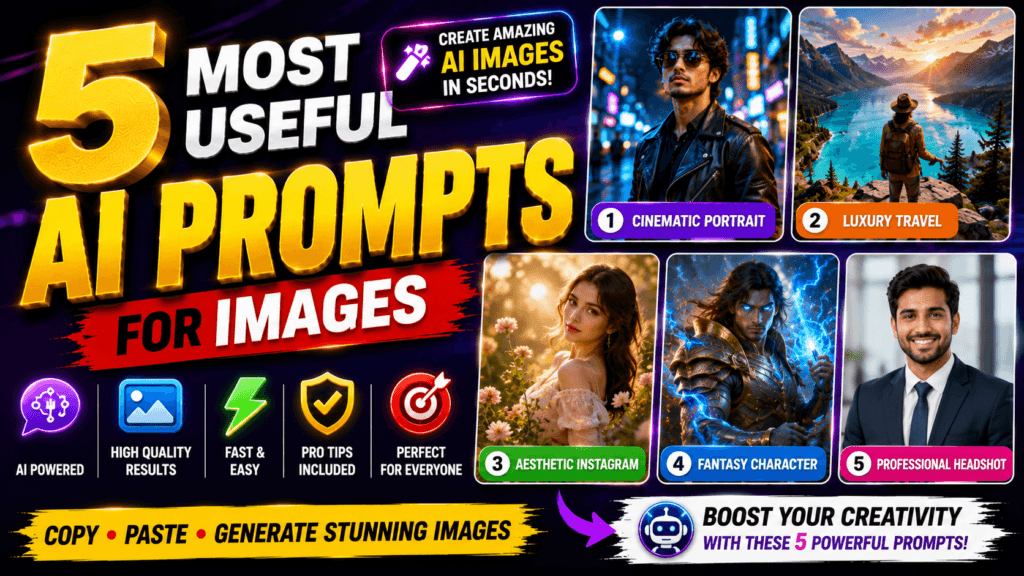
5 Most Useful AI Prompts for Images – Artificial Intelligence has completely transformed the way people create images. Whether you’re designing social media posts, YouTube thumbnails, blog banners, wallpapers, product advertisements, or realistic portraits, AI image generators can produce professional-quality visuals within seconds. The secret behind impressive AI-generated images isn’t just the AI model itself—it’s the prompt you give it.
A well-written prompt tells the AI exactly what to create, including the subject, lighting, camera angle, colors, background, artistic style, and mood. The difference between an average image and a breathtaking masterpiece often comes down to just a few carefully chosen words.
In this article, you’ll discover the five most useful AI image prompts that work exceptionally well across popular AI image generators such as ChatGPT, Gemini, Midjourney, Ideogram, Flux, and other modern AI art tools. Each prompt can be customized for your own projects, helping you generate professional-quality images without advanced design skills.
Why AI Image Prompts Matter
Think of an AI prompt as a blueprint for your image. If your instructions are vague, the AI has to guess what you want. If your prompt is detailed, the AI can generate images that look polished, realistic, and visually appealing.
The best prompts include details such as:
- Subject
- Background
- Lighting
- Camera angle
- Art style
- Colors
- Mood
- Resolution
- Quality
Adding these elements dramatically improves the final output.
Prompt 1 – Outfit Change
Change the entire outfit (shirt, t-shirt, pants, jeans, shorts, shoes, watch, bracelet, chain, sunglasses, cap, bag, etc.) in the first photo to match the outfit in the second photo. It should look realistic, golden hour lighting. do not change anything else.
Best Use Cases
- Instagram profile pictures
- AI avatars
- LinkedIn photos
- Blog author images
- Personal branding
Prompt 2 – Hairstyle
CRITICAL REQUIREMENT: Maintain 100% exact likeness of my face from the input photo in all generated images. Only the hair should change.

Perform a precise analysis of my face shape, hair texture, and density from the upload. Recommend trending hairstyles for three scenarios: Professional, University, and School. Then, visualize these recommendations by generating a realistic 3x3 hairstyle grid (9:16, 4K). Ensure all styles are wearable, modern trends that match my hair type, applied photorealistically to my unchanging face.
Best Use Cases
- Desktop wallpapers
- Travel websites
- Nature blogs
- Social media backgrounds
- Presentation covers
Prompt 3 – Passport Size Photo
Use the uploaded photo of the person and generate a standard Indian passport-size photo sheet. Keep the face EXACTLY the same without any modification or beautification.

Maintain natural skin tone and original facial features.

The background should be a clean light blue and white gradient, suitable for official Indian passport photos.

The person should be centered, with proper head spacing, neutral expression, and formal alignment.

Create a 12x3 grid layout (12 photos in total arranged in 3 rows), each in standard Indian passport size proportions.

Ensure high resolution, sharp focus, proper lighting, and no distortion.

The output should look like a professional passport photo print sheet ready for use.
Best Use Cases
- Amazon listings
- Flipkart products
- Meesho advertisements
- Instagram ads
- Product reviews
- Affiliate marketing
Prompt 4 – 4K HD Quality
Enhance the portrait while strictly preserving the subject's identity with accurate facial geometry. Do not change their expression or face shape. Only allow subtle feature cleanup without altering who they are.

Keep the exact same background from the reference image. No replacements, no changes, no new objects, no layout shifts. The environment must look identical.

The image must be recreated as if it was shot on a Sony A1, using an 85mm f1.4 lens, at f1.6, ISO 100, 1/200 shutter speed, cinematic shallow depth of field, perfect facial focus, and an editorial-neutral color profile.

This Sony A1 + 85mm f1.4 setup is mandatory. The final image must clearly look like premium full-frame Sony A1 quality.

Lighting must match the exact direction, angle, and mood of the reference photo. Upgrade the lighting into a cinematic, subject-focused style: soft directional light, warm highlights, cool shadows, deeper contrast, expanded dynamic range, micro-contrast boost, smooth gradations, and zero harsh shadows.

Maintain neutral premium color tone, cinematic contrast curve, natural saturation, real skin texture (not plastic), and subtle film grain. No fake glow, no runway lighting, no oversmoothing.

Render in 4K resolution, 10-bit color, cinematic editorial style, premium clarity, portrait crop, and keep the original environmental vibe untouched.

Re-render the subject with improved realism, depth, texture, and lighting while keeping identity and background fully preserved.


NEGATIVE INSTRUCTIONS:

No new background.

No background change.

No overly dramatic lighting.

No face morphing.

No fake glow.

No flat lighting.

No over-smooth skin.
Best Use Cases
- Story illustrations
- Wallpapers
- Book covers
- Gaming concepts
- Fantasy posters
Prompt 5 – Pose & Camera Angle
Create a highly realistic 4-grid Instagram carousel featuring the SAME exact photo from the uploaded image. Analyze the uploaded image carefully and preserve the exact same aesthetic vibe, environment, lighting, mood, camera quality, outfit styling, hairstyle, accessories, and overall cinematic feel. Generate 4 DIFFERENT stylish poses that naturally match the uploaded image's location and atmosphere, as if they were captured during the same photoshoot session. Maintain IDENTICAL facial features in all 4 frames with maximum face consistency. Preserve the exact same eyes, nose, lips, jawline, skin texture, hairstyle, hair color, body proportions, outfit details, accessories, and natural expression style from the uploaded image. The face must remain ultra realistic, sharp, detailed, and naturally human with no AI distortion or facial changes. 4 DIFFERENT POSES: 1st frame: confident standing pose looking away naturally with relaxed posture 2nd frame: candid sitting pose with soft expression and natural hand placement 3rd frame: walking or movement pose with cinematic candid energy 4th frame: over-shoulder or hair-touching pose with Pinterest / Gen-Z aesthetic Each frame should have: different body posture different hand placement different camera composition different candid expression different aesthetic energy while still matching the original image vibe perfectly. Luxury influencer aesthetic, cinematic photography, realistic shadows, realistic hands, natural anatomy, DSLR quality, shallow depth of field, warm cinematic color grading, premium Instagram aesthetic, editorial fashion photography vibe, ultra detailed skin texture, realistic hair strands, photorealistic 8k. The final output should look like an authentic 4-photo carousel from the same aesthetic photoshoot with smooth visual consistency between all frames. Make the aspect ratio 3:4
Best Use Cases
- Tech videos
- Gaming videos
- AI tutorials
- Product reviews
- Educational content
Tips for Writing Better AI Prompts
Even the best AI tools rely on the quality of your prompt. Here are a few practical tips to improve your results:

| Tip | Why It Helps |
|---|---|
| Be specific | Detailed prompts reduce AI guesswork. |
| Mention lighting | Lighting dramatically improves realism. |
| Add camera settings | Creates DSLR-like photographs. |
| Specify quality | Include terms like 8K, Ultra HD, photorealistic. |
| Describe the background | Prevents distracting elements. |
| Mention colors | Creates visually appealing compositions. |
| Include art style | Guides the AI toward a consistent look. |
Common Mistakes to Avoid
Many beginners use prompts like:
“Create a beautiful image.”
This is far too generic. Instead, provide context, mood, lighting, colors, composition, and artistic direction.
Avoid these common mistakes:
- Using very short prompts
- Forgetting lighting details
- Not mentioning image quality
- Ignoring background design
- Mixing too many unrelated styles
- Using conflicting instructions
The more descriptive your prompt, the more accurate and professional the output becomes.
Conclusion
AI image generation has made professional-quality design accessible to everyone, regardless of artistic experience. The key to unlocking its full potential lies in crafting detailed, descriptive prompts that clearly communicate your vision. By including elements like lighting, camera settings, colors, composition, and artistic style, you can consistently create visuals that stand out on social media, blogs, YouTube, e-commerce platforms, and digital marketing campaigns.
The five prompts shared in this guide provide a strong starting point for creating realistic portraits, cinematic landscapes, premium product advertisements, fantasy artwork, and attention-grabbing YouTube thumbnails. Feel free to customize them by changing the subject, color palette, mood, or style to match your specific project. With practice, you’ll learn how small prompt adjustments can dramatically improve image quality and help you produce unique, professional-looking AI artwork in just a few seconds.

FAQs
1. Which AI tool is best for generating images?
Popular options include ChatGPT, Gemini, Midjourney, FLUX, Ideogram, Adobe Firefly, and Stable Diffusion. The best choice depends on your preferred style and workflow.
2. How can I make AI images more realistic?
Use detailed prompts that specify lighting, camera lens, background, textures, facial details, depth of field, and high-resolution output.
3. Can I use AI-generated images for commercial projects?
Many AI platforms allow commercial use, but the terms vary by service. Always review the licensing policy of the specific tool before using images commercially.
4. Why are long prompts better than short prompts?
Long prompts provide the AI with clearer instructions, resulting in more accurate, consistent, and visually appealing images.
5. Can beginners create professional AI images?
Yes. With well-crafted prompts like the ones in this article, even beginners can generate high-quality visuals without advanced graphic design skills.