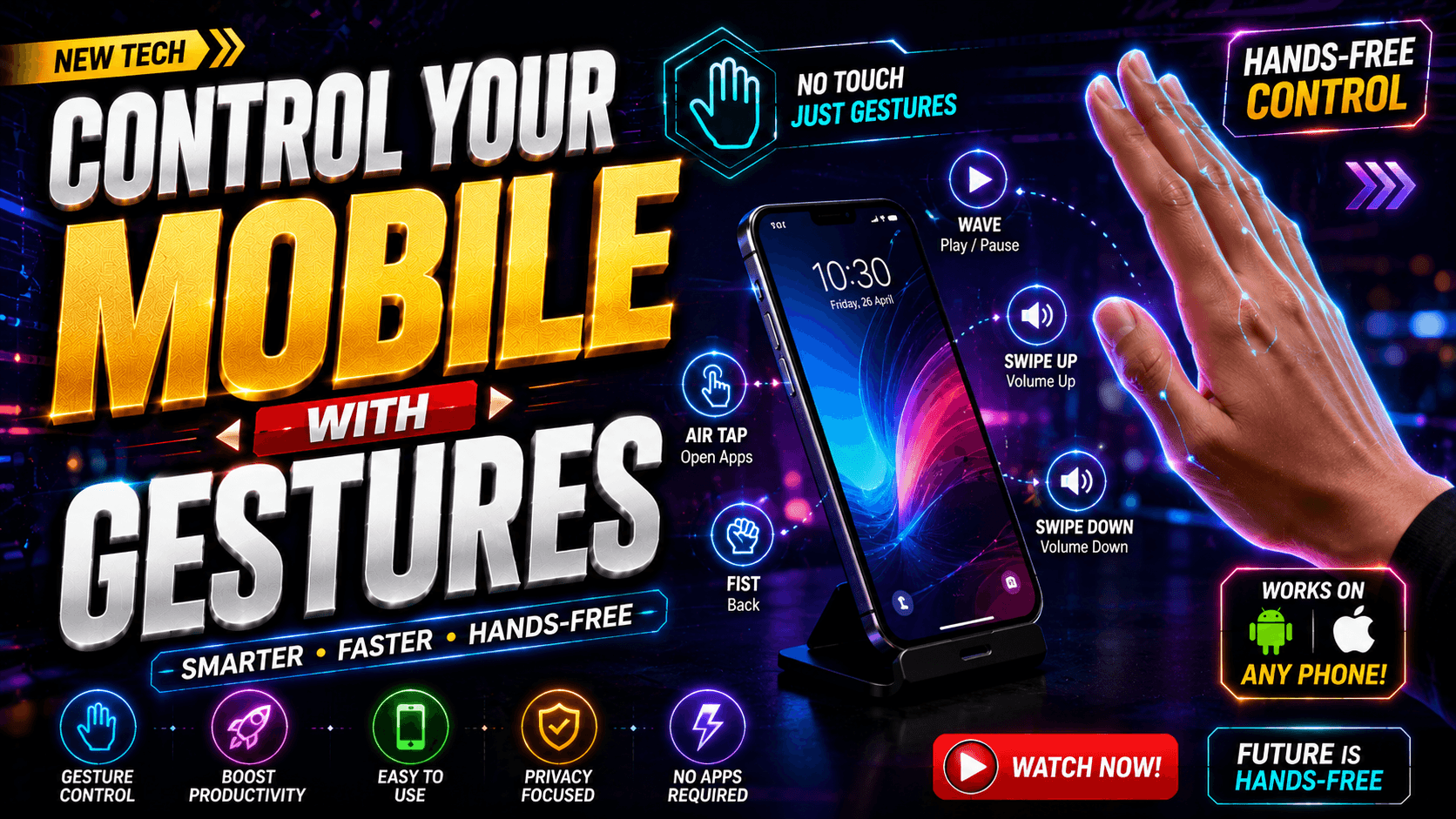
Smartphones have become an essential part of modern life. From checking messages and watching videos to managing work and navigating unfamiliar places, we interact with our phones dozens, if not hundreds, of times every day. Yet despite all the technological advancements in mobile devices, most people still rely on the same basic touch interactions they have used for years. Gesture-based mobile control is changing that reality by introducing a more natural, intuitive, and touch-free way to interact with smartphones.
What Is Gesture-Based Mobile Control?
Gesture-based mobile control refers to technology that allows users to operate a smartphone through physical movements rather than direct screen touches. These movements can include hand waves, finger poses, swipes performed in the air, head movements, or custom motions recognized by the device’s sensors and cameras. The goal is to create a seamless interaction experience that feels natural and effortless.
At its core, gesture control relies on computer vision and motion tracking technologies. A smartphone camera or sensor continuously analyzes movement patterns and translates them into commands. For example, a pinch gesture may function as a click, while a swipe motion could trigger scrolling or navigation. Some systems even support custom gestures, allowing users to assign specific actions to unique hand positions or movements.
The evolution of gesture recognition reflects a broader trend in technology: reducing friction between humans and devices. Traditional interfaces require deliberate taps and touches. Gesture-based systems aim to remove that barrier by allowing users to interact naturally. As machine learning models become increasingly sophisticated, gesture recognition continues to improve in speed, precision, and reliability, making it a viable alternative to conventional navigation methods.
How Gesture Recognition Technology Works
Modern gesture recognition combines camera input, artificial intelligence, and real-time processing. The device identifies hand positions, finger movements, or facial expressions and compares them against predefined patterns. Once a match is detected, the associated action is executed immediately.
Many advanced systems now support multiple gesture categories, including pointing, pinching, swiping, open-palm motions, and directional hand movements. These capabilities allow users to navigate apps, control multimedia content, adjust settings, and access shortcuts without physical contact.
Why Gesture Control Is Becoming Popular
The popularity of gesture-based navigation is driven by a simple factor: convenience. People increasingly seek faster and more intuitive ways to interact with technology. Touchscreens revolutionized mobile devices, but gesture controls represent the next evolutionary step.
One major advantage is accessibility. Users with mobility challenges, injuries, or conditions that make touch interaction difficult can benefit enormously from gesture-based systems. Accessibility-focused gesture solutions have emerged specifically to help users interact with smartphones more independently and efficiently.
Another contributing factor is the rise of hands-free lifestyles. Whether people are multitasking, exercising, driving, or preparing meals, there are countless situations where touching a screen is inconvenient. Gesture controls eliminate many of these barriers. The growing interest in contactless technology after recent global health concerns has also increased awareness of touch-free interactions.
Interestingly, while gesture navigation continues to gain momentum, user preferences remain diverse. A recent Android user survey found that many users still prefer traditional navigation buttons, highlighting that gesture control complements rather than completely replaces conventional methods.
Key Features of Modern Gesture Control Solutions
Today’s gesture-control platforms are far more sophisticated than early implementations. They offer extensive customization options, improved recognition accuracy, and support for numerous everyday tasks.
Air Gestures and Touch-Free Navigation
Air gestures are perhaps the most exciting aspect of modern gesture technology. Instead of touching the screen, users perform movements in front of the device’s camera. Actions such as swiping, scrolling, selecting items, and returning to the home screen can all be performed through simple hand motions. Some advanced systems even allow cursor control, transforming hand movements into precise on-screen navigation.
This capability feels remarkably futuristic. It’s similar to conducting an invisible orchestra where every movement generates a digital response. The technology transforms the smartphone from a passive tool into an active participant in human interaction.
Custom Gesture Commands
Customization is another major strength. Modern systems often allow users to create personalized gesture mappings. A specific hand pose can launch a favorite application, activate a shortcut, open notifications, or perform navigation functions. This flexibility helps users tailor the experience to their individual needs and workflows.

For productivity enthusiasts, custom gestures can dramatically reduce the number of steps required to complete common tasks. Instead of navigating through menus, a single motion can instantly trigger an action.
Media and Volume Controls
Gesture control excels in multimedia scenarios. Users can play, pause, skip tracks, adjust volume, and navigate playlists without touching their screens. This feature is particularly useful during workouts, driving, or household chores where direct interaction is impractical.
Benefits of Controlling Your Phone with Gestures
The advantages of gesture control extend beyond novelty. They offer meaningful improvements in usability, efficiency, and accessibility.
Improved Productivity
Every second matters in a fast-paced digital world. Gesture controls can streamline repetitive tasks by reducing the number of taps required to perform actions. Quick commands, personalized shortcuts, and intuitive navigation contribute to a smoother user experience. Rather than hunting through menus, users can execute commands instantly through familiar movements.
This increased efficiency becomes especially noticeable over time. Small improvements repeated dozens of times per day can save significant amounts of time and reduce friction during daily smartphone usage.
Better Hygiene and Cleanliness
One often-overlooked benefit is hygiene. Smartphones are among the most frequently touched objects people own. During cooking, workouts, or outdoor activities, constantly touching a device can transfer dirt, moisture, and germs.
Gesture-based interactions reduce direct contact, helping keep screens cleaner. For users working in kitchens, workshops, healthcare settings, or fitness environments, touch-free control offers practical advantages that go beyond convenience.
Enhanced User Experience
Technology should adapt to humans rather than forcing humans to adapt to technology. Gesture controls move closer to that ideal by enabling more natural interactions. Instead of memorizing button sequences or navigating complex interfaces, users can rely on instinctive physical movements.
The result feels less like operating a machine and more like communicating with an intelligent assistant that understands body language and intent.
Real-World Use Cases
Gesture control shines brightest when applied to everyday situations where traditional touch interactions become inconvenient.
Cooking in the Kitchen
Imagine following a video recipe while your hands are covered in flour, oil, or spices. Touching the screen repeatedly can be frustrating and messy. Gesture controls allow you to pause videos, scroll instructions, or adjust volume without contaminating your device.
This hands-free convenience makes cooking smoother and more enjoyable while protecting your smartphone from accidental damage or stains.
Fitness and Workouts
Athletes and fitness enthusiasts often struggle to interact with phones during exercise sessions. Sweaty hands, intense movement, and limited attention make touchscreen interaction challenging. Gesture controls solve this problem by enabling touch-free media management and navigation.
Whether skipping songs during a run or adjusting workout videos, users can remain focused on their fitness goals without interrupting their momentum.
Driving and Travel Situations
Safety remains critical while driving. Although drivers should always prioritize road awareness, gesture controls can minimize distractions when interacting with navigation or media systems. Quick gestures provide an alternative to extended touchscreen interactions, helping users maintain focus on their surroundings.
Travelers also benefit from gesture navigation when carrying luggage, wearing gloves, or managing multiple tasks simultaneously.

Gesture Control vs Traditional Touch Navigation
| Feature | Gesture Control | Traditional Touch Navigation |
|---|---|---|
| Hands-Free Operation | Excellent | Limited |
| Accessibility Support | High | Moderate |
| Learning Curve | Moderate | Low |
| Hygiene Benefits | High | Low |
| Customization | Extensive | Moderate |
| Precision Tasks | Improving | Excellent |
| Future Potential | Very High | Stable |
While touch navigation remains effective and familiar, gesture control introduces capabilities that traditional methods cannot easily replicate. The two approaches can coexist, giving users the flexibility to choose whichever method works best in a given situation.
Privacy and Security Considerations
Whenever cameras and sensors are involved, privacy naturally becomes an important topic. Responsible gesture-control solutions typically process gesture data locally on the device and rely on Android accessibility frameworks to perform actions. Users should carefully review permissions and understand how data is handled before enabling advanced gesture features.
Transparency is essential. Developers who clearly explain their privacy practices build trust and encourage wider adoption. As gesture recognition technology continues to evolve, maintaining strong privacy standards will remain crucial for long-term success.
Tips for Getting the Best Gesture Recognition Performance
To maximize the effectiveness of gesture controls, users should follow a few best practices:
- Ensure adequate lighting conditions.
- Position the device where the camera has a clear view.
- Complete calibration procedures when available.
- Learn supported gesture patterns thoroughly.
- Avoid cluttered backgrounds that may interfere with recognition.
Many modern systems include sensitivity adjustments and calibration tools that help improve recognition accuracy. Proper setup can significantly enhance responsiveness and reliability.
The Future of Gesture-Controlled Smartphones
Gesture control represents just one part of a broader movement toward natural user interfaces. Artificial intelligence, augmented reality, wearable technology, and advanced computer vision are converging to create increasingly seamless human-device interactions.
Future smartphones may recognize complex hand signals, body movements, eye tracking, and contextual behaviors. Devices could anticipate user intentions before commands are fully completed, creating interactions that feel almost magical. Emerging technologies already demonstrate control through hand gestures, facial expressions, head movements, and wearable devices, suggesting that touch-free computing will become increasingly common.
The smartphone industry has always evolved toward simplicity. Buttons gave way to touchscreens. Touchscreens are now expanding into gesture-based experiences. The journey is far from over, but the direction is clear: more intuitive, more accessible, and more human-centered technology.
Conclusion
Gesture-based mobile control is transforming how people interact with smartphones. By enabling touch-free navigation, personalized commands, media controls, and accessibility enhancements, gesture technology delivers both practical benefits and an exciting glimpse into the future. Whether you’re cooking dinner, working out, traveling, or simply looking for a more efficient way to use your phone, gesture control offers a compelling alternative to traditional touch navigation.
As artificial intelligence and computer vision continue advancing, gesture recognition will become even more accurate and versatile. What feels innovative today may soon become a standard feature across mobile devices worldwide. The era of controlling smartphones with natural movements has already begun, and its potential is only starting to unfold.
FAQs
1. What is gesture control on a smartphone?
Gesture control allows users to operate a smartphone using hand movements, swipes, air gestures, or other physical motions instead of touching the screen directly.
2. Does gesture control require special hardware?
Most modern gesture-control solutions use the smartphone’s existing camera and software-based AI recognition technologies, eliminating the need for additional hardware.
3. Is gesture control accurate?
Modern gesture-recognition systems have improved significantly thanks to artificial intelligence and machine learning, offering reliable performance in suitable lighting conditions.
4. Can gesture control improve accessibility?
Yes. Gesture-based navigation can help users who experience difficulties with traditional touch interactions, providing greater independence and usability.
5. Is gesture-controlled navigation the future of smartphones?
Many industry experts believe gesture recognition will play an increasingly important role in future mobile experiences, alongside voice control, AI assistants, and augmented reality technologies.