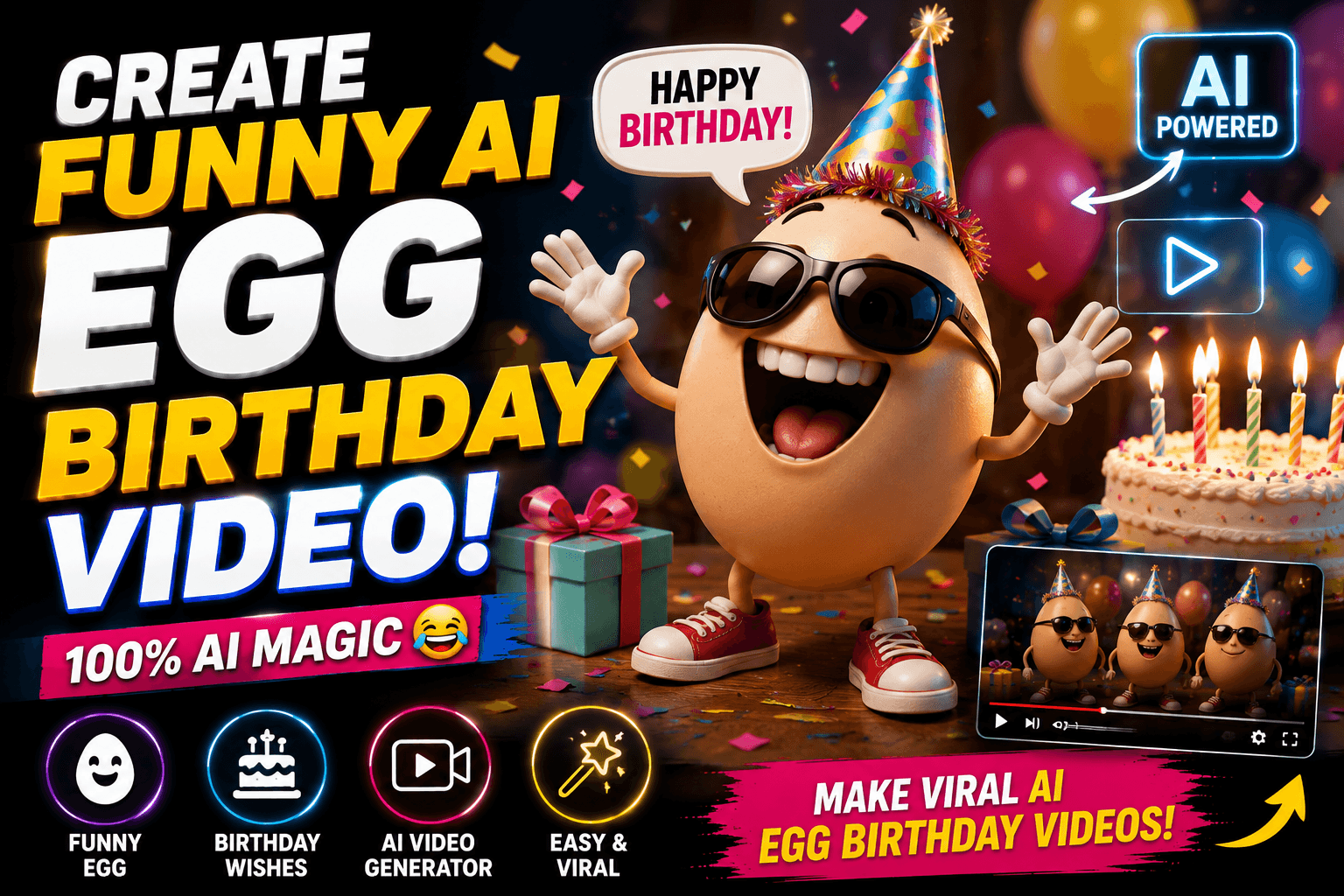
Create Funny AI Egg Birthday Video – Have you ever imagined wishing someone a birthday with an egg that suddenly starts talking, dancing, singing, or causing complete chaos? That sounds ridiculous—and that is exactly why it can be so entertaining. With today’s AI video tools, you can turn a simple birthday idea into a funny short video without needing a camera, actors, expensive editing software, or complicated animation skills. Gemini can help you create creative AI video concepts from text, images, and video references, making it possible to build an unusual birthday greeting around something as simple as an egg. Google’s current Gemini video tools also support conversational editing, so you can refine the result by asking for changes instead of rebuilding everything from scratch.
A funny egg birthday video works particularly well for Instagram Reels, YouTube Shorts, WhatsApp Status, Facebook Reels, and personal birthday messages because the concept is instantly understandable. Imagine a cute egg sitting on a birthday cake, looking extremely serious, before suddenly shouting, “Happy Birthday!” and dancing like a superstar. You could make the egg wear sunglasses, ride a tiny scooter, escape from a frying pan, or even behave like an overdramatic movie hero. The fun comes from combining an ordinary object with an unexpected personality, and AI video generation makes those combinations much easier to visualize.
What Is a Funny AI Egg Birthday Video?
A funny AI egg birthday video is a short AI-generated animation or video built around an egg character celebrating someone’s birthday. Instead of simply displaying birthday text over a photograph, you can create a mini-story where the egg becomes the main character. The character might speak directly to the birthday person, sing a funny birthday song, dance beside a cake, or create a ridiculous surprise party. The goal is not necessarily cinematic perfection; the goal is to create something memorable, surprising, and personal.
Create a funny, cinematic, photorealistic video inside a realistic chicken farm. A hen is sitting in a nest and lays a single egg. The egg slowly rolls out of the nest onto the hay-covered ground. After a few seconds, small cracks gradually appear on the egg. The cracks become larger and the egg gently breaks open.
Suddenly, my friend's face comes out from inside the egg, looking surprised and confused. He slowly pushes his head and shoulders out, then his arms and upper body emerge. Finally, his entire body comes completely out of the egg and he stands up with smile next to the broken eggshells, then "Happy Birthday Vijay" title will appear at his background with cinematic font style and cracker lights.Keep the transformation smooth, with the same person's face and appearance throughout the entire video. Chickens react naturally and look surprised. Use cinematic camera movement, realistic lighting, detailed feathers and eggshells, unexpected ending.
Video must be 9:16 ratio.
The concept becomes even more interesting when you give the egg a recognizable personality. For example, you could create a nervous egg that is terrified of being cracked, a confident egg that thinks it is a famous celebrity, or a dramatic egg that believes the birthday party is the biggest event in human history. You can also include the birthday person’s name, favorite colors, hobbies, or inside jokes in the prompt. Because Gemini can work with text and reference images, you can build a more customized concept instead of relying on a generic birthday template.
Why Use Gemini to Create the Birthday Video?
One of the biggest advantages of using Gemini for this type of project is simplicity. You don’t have to learn traditional 3D animation or manually animate every movement. You can describe the scene in natural language and let the AI interpret the characters, environment, action, mood, and visual style. Current Gemini video functionality allows users to generate videos from prompts and, depending on the available feature and plan, use images or videos as inputs.
Gemini’s conversational approach is especially useful when your first generation is not perfect. Perhaps the egg looks too serious, the cake is missing, the birthday text is incorrect, or the character does not dance the way you imagined. Instead of starting over immediately, you can refine the idea with another instruction. Google says Gemini supports editing generated videos with prompts, including changing objects, characters, camera angles, and scenes.
What You Need Before Creating the Video
You don’t need a professional studio to start. A clear idea, a good prompt, and access to Gemini’s video-generation feature are the main ingredients. Google currently states that personal Gemini video generation requires a Google AI plan, while qualifying Workspace licenses can provide access for work or school accounts; availability can vary by account and region.
If you want to personalize the video, prepare the birthday person’s name and a few details about them. You might also prepare a photograph if you want to use a reference image, but only use images that you have permission to use. Google specifically advises users to upload only photos they have the right to use.
A simple preparation list is enough:
- Birthday person’s name
- Preferred video style
- Funny character idea
- Birthday message
- Optional reference image
- Preferred aspect ratio
- Background or setting
How to Create a Funny AI Egg Birthday Video with Gemini
Start by opening Gemini and looking for the Create Video option. Google’s current instructions say that on a computer, you can open Gemini, open the sidebar, and choose the video creation option. You can then enter a prompt describing the video you want to create. Depending on the available functionality, you can also add images or video references.
The quality of your result will depend heavily on the prompt. Instead of writing something vague such as “Make a funny egg birthday video,” describe what should happen. Tell Gemini what the egg looks like, where it is, what it is doing, how the camera should move, what mood you want, and what the final moment should be.
Try a prompt like this:
Create a funny cinematic birthday video featuring a cute cartoon egg character wearing a tiny birthday hat. The egg stands beside a colorful birthday cake and looks directly at the camera. Suddenly, the egg starts dancing wildly while colorful balloons appear in the background. The egg excitedly says, “Happy Birthday, [NAME]!” with a playful and exaggerated expression. Add a cheerful birthday atmosphere, funny comedy timing, energetic camera movement, colorful lighting, expressive animation, and a surprising ending where the egg jumps onto the cake and celebrates. Make it fun, cute, family-friendly, and visually entertaining.
The more specific the scene is, the easier it becomes to communicate your creative intention.
Make the Egg Character Extra Funny
The egg itself is the star of the video, so give it a personality. A completely ordinary egg can become much more entertaining when you give it human-like behavior. You could make it walk on tiny legs, wear oversized sunglasses, carry a microphone, or dramatically react whenever someone says the word “birthday.”
For example, imagine an egg walking into a birthday party while everyone is waiting quietly. It looks around suspiciously, pulls out a tiny microphone, and announces, “I was promised cake!” Suddenly the music begins, balloons fly through the air, and the egg starts dancing. That type of unexpected transition creates the kind of visual surprise that works well in short-form content.
You can also experiment with different personalities. A cool egg could wear sunglasses and dance like a pop star. A royal egg could arrive on a golden throne. A superhero egg could fly through the sky carrying a birthday cake. A chef egg could prepare an enormous birthday breakfast before realizing it forgot the birthday person’s name.

Use Image References for Better Character Ideas
If you want a specific visual identity, reference images can make the concept more interesting. Gemini’s current video-generation workflow allows image inputs, and Google describes its newer video capabilities as being designed to combine images, audio, video, and text.
For example, you could first create or select an image of your egg character wearing a red birthday hat. Then use that visual as the starting point for the video. This can help you build a recognizable character instead of asking the AI to invent a completely different egg every time.
Google’s current video-generation documentation also describes support for adding images and videos as references, with up to five images and one video in the Gemini Apps workflow described on its help page.
Choose a Vertical Format for Shorts and Reels
If your main goal is social media, think about the final platform before generating the video. Vertical video is generally the natural choice for YouTube Shorts, Instagram Reels, and similar mobile-first platforms. Google’s January 2026 announcement for Veo 3.1 highlighted native vertical generation for mobile-first short-form video, making portrait-oriented creation more practical for social content.
A vertical egg birthday video could begin with a close-up of the egg staring seriously into the camera. The camera then pulls back to reveal an enormous birthday party. Balloons rise from the bottom of the frame, the cake appears behind the egg, and the character starts dancing. A strong visual opening matters because viewers decide very quickly whether a short video is worth watching.
Add Funny Dialogue and Sound
Dialogue can turn a simple animation into a mini comedy scene. Instead of having the egg simply say “Happy Birthday,” give it a short personality-driven line. Something like, “Happy Birthday! I brought you a cake, but I may have eaten the evidence!” instantly creates a joke.
Current Gemini video functionality can also generate audio with video, according to Google’s help documentation. This means your concept can potentially include dialogue, sound effects, and a more complete atmosphere rather than feeling like a silent animation.
Try keeping dialogue short. Long conversations can make a short birthday video feel slow. One or two funny lines followed by a visual punchline are often more effective.
Create Multiple Versions of the Same Birthday Idea
Don’t stop after the first generation. AI video creation is much more useful when you treat the first result as a draft rather than the final masterpiece. If the egg looks good but the joke is weak, change the joke. If the animation is funny but the birthday message is missing, refine the prompt. If the camera is too distant, request a close-up.
For example, after generating your first version, you might ask Gemini:
“Make the egg much more expressive, add exaggerated comedic reactions, make the birthday cake larger, and end with the egg accidentally falling into the cake.”
You could then create another variation:
“Keep the same egg character but change the setting to a luxury birthday party with dramatic cinematic lighting and make the egg behave like a famous movie star.”
This iterative process is one of the most useful parts of conversational AI video creation.
Funny AI Egg Birthday Video Prompt Ideas
Here are several concepts you can experiment with:
The Dancing Egg: A cute egg wearing a party hat suddenly starts performing an energetic dance while balloons explode behind it.
The Angry Egg: The egg becomes hilariously angry because everyone ate the birthday cake before it arrived.

The Celebrity Egg: The egg arrives at a red-carpet birthday party surrounded by photographers and dramatically wishes the birthday person.
The Superhero Egg: A superhero egg flies through the clouds carrying a giant birthday cake before landing at the party.
The Chef Egg: The egg prepares a ridiculous five-star birthday meal and proudly presents an enormous cake.
These concepts can be adapted to different ages, relationships, and personalities.
Tips for Making the Video More Entertaining
The secret to a funny AI birthday video is contrast. Take something ordinary and make it behave in an extraordinary way. An egg wearing a birthday hat is mildly funny; an egg wearing a birthday hat while arriving in a limousine, arguing with a cake, and performing a dramatic dance is much more memorable.
Keep the story simple enough to understand quickly. A short video doesn’t need ten characters and five locations. One egg, one birthday cake, one funny situation, and one unexpected ending can be enough. Think of the video like a tiny joke: the setup should be quick, the action should be clear, and the punchline should arrive before the viewer loses interest.
Also remember that AI-generated content can occasionally contain visual inconsistencies. You may see unusual hands, objects changing shape, unexpected text, or character details shifting between frames. If something looks wrong, regenerate or refine the prompt rather than trying to force a bad generation into the final video.
Conclusion
Creating a funny AI egg birthday video with Gemini is a playful way to turn a normal birthday wish into something people are much more likely to remember. Instead of sending another ordinary birthday image, you can create a miniature comedy featuring a talking, dancing, singing, or completely chaotic egg character. Gemini’s current video tools support prompt-based generation and conversational editing, while newer Google video capabilities provide additional control for image-based creation and vertical short-form content.
The best results come from treating your prompt like a director’s instructions. Describe the character, setting, action, camera movement, dialogue, mood, and ending rather than simply asking for “a funny birthday video.” Start with a simple concept, generate it, identify what feels wrong, and then refine it. With a little creativity, even something as ordinary as an egg can become the funniest birthday guest at the party.
FAQs
1. Can I create an egg birthday video directly with Gemini?
Yes. Gemini’s current video-generation experience allows users with eligible access to create videos from prompts, and the workflow can also support image and video inputs. Availability depends on your account, plan, age, and region.
2. Can I add a person’s name to the birthday video?
Yes. You can include the person’s name directly in the prompt and ask the character to say or display it. For more reliable results, keep the spoken message short and clearly describe when the character should say the name.
3. Can Gemini make the egg talk?
Gemini’s current video-generation capabilities can generate audio with video, so you can ask for dialogue as part of the scene.
4. Can I make the video vertical for Instagram Reels?
Yes, where the relevant generation model and feature are available. Google has highlighted native vertical video generation in its newer Veo capabilities specifically for mobile-first short-form content.
5. Can I edit the AI-generated birthday video?
Yes. Gemini’s current video workflow supports conversational edits, allowing you to request changes such as modifying objects, characters, camera angles, and scenes.