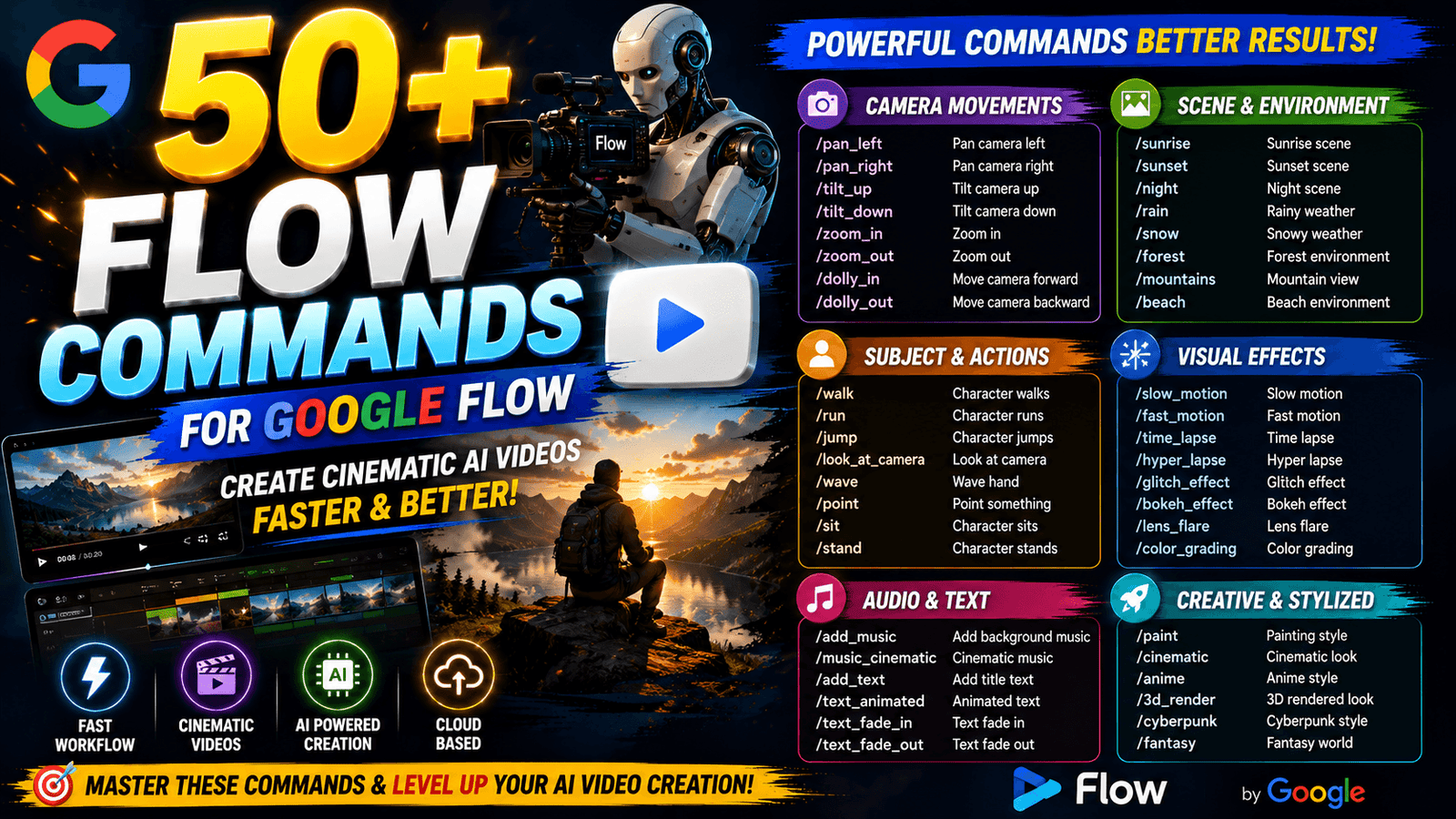
All Commands are useful for AI Video Generation
50 AI Video Commands

- /supercar
- /luxurycar
- /sportscar
- /bikeride
- /offroad
- /streetracing
- /drifting
- /carcinematic
- /motocross
- /rallyracing
- /boxing
- /mma
- /football
- /basketball
- /cricket
- /skateboarding
- /parkour
- /running
- /workout
- /bodybuilding
- /streetstyle
- /fashionwalk
- /modelshoot
- /photoshoot
- /musicvideo
- /concert
- /actionmovie
- /horror
- /thriller
- /scenetransformation
- /herotransformation
- /villain
- /superhero
- /spy
- /secretagent
- /gangster
- /royal
- /businessman
- /luxurylifestyle
- /privatejet
- /yacht
- /helicopter
- /droneview
- /nightdrive
- /sunsetdrive
- /rainycinematic
- /neoncity
- /futuristic
- /cinematictrailer
- /hollywoodscene
Another 50 Commands
- /addgirl — Add a realistic girl walking beside the subject.
- /addboy — Add a realistic boy walking beside the subject.
- /multicamshot — Create multiple camera angles of the same scene.
- /epicshot — Turn the image into an epic cinematic camera shot.
- /droneshot — Create a cinematic drone-style pullback.
- /orbit — Camera slowly orbits around the subject.
- /pushin — Slow cinematic camera push toward the subject.
- /pullout — Camera smoothly pulls away from the subject.
- /zoomshot — Create a dramatic cinematic zoom toward the subject.
- /closeup — Transition into an intense close-up.
- /wideangle — Expand the scene into a cinematic wide-angle shot.
- /lowangle — Create a dramatic low-angle camera movement.
- /highangle — Create a cinematic high-angle shot.
- /overhead — Camera moves directly above the subject.
- /tracking — Camera smoothly tracks the moving subject.
- /followcam — Camera follows the subject from behind.
- /sidecam — Create a smooth side-tracking shot.
- /frontcam — Camera moves backward while facing the subject.
- /360spin — Create a smooth 360-degree camera rotation.
- /handheld — Add realistic handheld cinematic camera movement.
- /steadicam — Create smooth professional Steadicam movement.
- /slowmo — Turn the action into dramatic cinematic slow motion.
- /timelapse — Convert the scene into a cinematic time-lapse.
- /hyperlapse — Create a fast-moving cinematic hyperlapse.
- /parallax — Create strong cinematic foreground-background parallax.
- /whip — Create a fast cinematic whip-pan transition.
- /reveal — Reveal the subject with a cinematic camera movement.
- /dramaticreveal — Create a dramatic reveal from behind an object.
- /walkin — Make the subject walk naturally toward the camera.
- /walkaway — Make the subject walk away from the camera.
- /hairmotion — Add natural cinematic hair movement.
- /wind — Add realistic wind movement throughout the scene.
- /rain — Add realistic cinematic rain to the scene.
- /snow — Add realistic falling snow and atmospheric movement.
- /fog — Add cinematic volumetric fog and depth.
- /smoke — Add realistic atmospheric smoke movement.
- /fire — Add cinematic fire and glowing environmental light.
- /lightning — Add dramatic lightning flashes to the environment.
- /sunset — Transform the lighting into a cinematic sunset.
- /night — Convert the scene into a realistic cinematic night shot.
- /goldenhour — Add warm golden-hour cinematic lighting.
- /neon — Create a cinematic neon-lit environment.
- /actionshot — Turn the image into an energetic action sequence.
- /fashionwalk — Create a cinematic fashion runway-style walk.
- /carshot — Create a dynamic cinematic automotive camera shot.
- /productshot — Turn the subject into a premium commercial product shot.
- /musicvideo — Create a stylized cinematic music-video movement.
- /movieintro — Turn the image into a dramatic movie-intro shot.
- /cinematic — Apply cinematic camera movement, lighting and depth.
- /viralshot — Create a fast, visually striking social-media-style camera shot.