 Saiteja
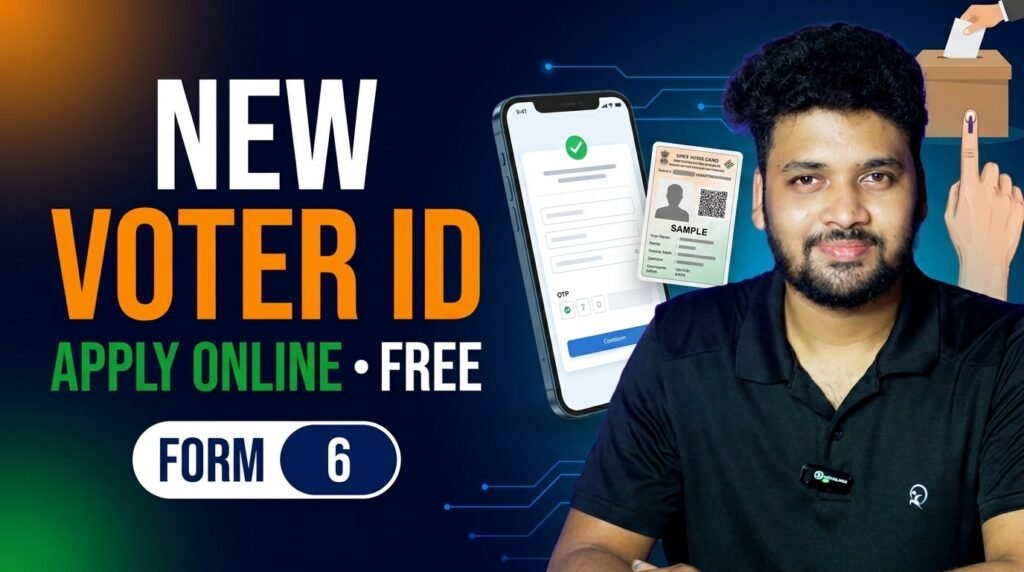
You can now apply for a new Voter ID card (EPIC) from home, on your phone, in about 10 minutes. The process is online, free, and runs on the official Election Commission of India portal, voters.eci.gov.in, using Form 6.
If you have just turned 18, or you will turn 18 in the next few months, this complete guide walks you through every step: sign-up, filling Form 6, the documents you need, tracking your application and downloading your e-EPIC.
Table of Contents
Quick Overview
| Detail | Information |
|---|---|
| Form | Form 6 (New Voter Registration) |
| Who can apply | Indian citizens aged 18+, or turning 18 in the next few months |
| Official website | voters.eci.gov.in (also the ECINET app) |
| Fee | Free |
| Time to apply | About 10 minutes |
| Track status | Track Application Status, with your reference number |
| Helpline | 1950 (toll-free) |
Who Can Apply for a New Voter ID?
- You are a citizen of India.
- You are 18 years or older, or you will turn 18 soon. The portal itself says: fill Form 6 if you are 18 or above or will turn 18 in a few months.
- You ordinarily live at the address where you want to be registered.
- You are not already registered as a voter anywhere else. If you already have a Voter ID and only moved or need a correction, use Form 8, not Form 6.
There are four qualifying dates every year: 1 January, 1 April, 1 July and 1 October. If you will turn 18 on or before the next qualifying date, you can apply in advance and your name is added once you become eligible.
Documents You Need
Keep clear photos or scans of these ready before you start. You need any one document from each list.
| Proof of age (any one) | Proof of address (any one) |
|---|---|
| Birth certificate | Aadhaar card |
| Class 10 or 12 certificate with date of birth | Bank or post office passbook |
| Aadhaar card | Recent water, electricity or gas bill |
| PAN card | Indian passport |
| Driving licence | Registered rent or lease agreement |
| Indian passport | Registered sale deed / land records |
You also need a recent passport-size photo (plain light background, face clearly visible). Upload it in the size and format the portal asks for on the upload screen. Giving your Aadhaar number is voluntary.
Step 1: Open the Official Voter Portal
Open voters.eci.gov.in in your phone or laptop browser. This is the ECI Citizen Service Portal. You can also use the official ECINET mobile app. Do not use any other website or link sent on WhatsApp.
Step 2: Sign Up with Your Mobile Number
Tap Login / Sign-Up. New users choose Sign-Up, enter their mobile number, and verify it with the OTP. Then log in with your mobile number and a fresh OTP.

Step 3: Select New Voter Registration (Form 6)
On the home page, under New Voter Registration, tap Fill Form 6. (Form 6A is only for NRIs living abroad.)
Step 4: Fill Your Details
- Select your state, district and assembly constituency.
- Enter your name, gender and date of birth exactly as in your documents.
- Add a relative’s name (father, mother, husband or guardian).
- Enter your full current address and contact details.
Step 5: Upload Photo and Documents
Upload your photo, age proof and address proof. Check that every upload is clear and readable. Blurry documents are the most common reason for rejection.
Step 6: Preview, Submit and Save the Reference Number
Tap Preview, check every detail once more, then Submit. You will get a reference number on screen and by SMS. Take a screenshot of it. You need it to track your application.
How to Track Your Voter ID Application
On voters.eci.gov.in, open Track Application Status, enter your reference number and state, and tap Submit. A Booth Level Officer (BLO) may visit your address to verify the details. You can also use Book a Call with BLO on the same portal if you have questions.
How to Download Your e-EPIC
Once your application is approved, your name is added to the electoral roll and you get an EPIC number. Log in on voters.eci.gov.in, open E-EPIC Download, enter your EPIC number or Form 6 reference number, verify with OTP, and download the digital Voter ID as a PDF.
Watch the Video
Common Mistakes to Avoid
- Filling Form 8 instead of Form 6 for a first-time Voter ID.
- Name or date of birth not matching your documents.
- Uploading blurry or cut-off document photos.
- Applying twice from two addresses. You can be registered in only one place.
- Not saving the reference number.
Important Safety Tips
- New voter registration is completely free. Never pay an agent.
- Use only voters.eci.gov.in or the official ECINET app.
- Never share your OTP with anyone who calls you.
- For help, call the official helpline 1950.
Frequently Asked Questions
Can I apply before turning 18?
Yes. If you will turn 18 on or before the next qualifying date (1 January, 1 April, 1 July or 1 October), you can fill Form 6 in advance.
Is Aadhaar compulsory for a Voter ID?
No. Giving your Aadhaar number in Form 6 is voluntary. You can use other documents for age and address proof.

How much does it cost?
Nothing. Applying for a new Voter ID on the official portal is free.
How long does it take to get the Voter ID?
It depends on BLO verification in your area. It usually takes a few weeks. Keep checking Track Application Status with your reference number.
I already have a Voter ID but moved house. Which form?
Use Form 8 for shifting your residence, correcting details or getting a replacement EPIC. Form 6 is only for new voters.
Related Guides
- How to Lock Aadhaar Biometrics and Stop AePS Fraud (Step by Step)
- RBI UDGAM: 4 Easy Steps to Find Lost Bank Money for Free
Official source: ECI Citizen Service Portal (voters.eci.gov.in). Always check the latest rules on the official website.
Conclusion
Your vote is your voice. If you or a friend has just turned 18, keep your documents ready and fill Form 6 on voters.eci.gov.in today. It is free and takes only a few minutes. Share this guide with friends who are turning 18.
Disclaimer: This article is for information purposes only and is not affiliated with the Election Commission of India. The process and document list are based on information available at the time of writing. Please check voters.eci.gov.in or call 1950 for the latest process.